
In 2025, over 70% of growing businesses report revenue leakage, delayed decision-making, or customer dissatisfaction due to manual processes and disconnected systems. Sales teams chase leads in one tool, operations track execution in another, and finance reconciles everything in spreadsheets — often days or weeks later. As a result, leadership lacks real-time visibility, teams duplicate effort, and opportunities slip through the cracks. This is precisely where sales and operations automation becomes a strategic necessity rather than a technology upgrade. Automation connects people, processes, and data across the organization, ensuring work flows seamlessly from lead generation to delivery, billing, and reporting.
In this guide, you will learn the top automation processes that directly improve sales performance and operational efficiency, why they matter more than ever in 2025, and how a unified CRM platform like CrmLeaf enables end-to-end automation without complexity. By the end, you will have a practical framework to identify automation opportunities, avoid common mistakes, and drive measurable business outcomes.
Business Need & Importance
Today’s small and mid-sized businesses operate in a high-pressure environment defined by shorter sales cycles, rising customer expectations, compliance demands, and margin sensitivity. However, many still rely on manual handoffs, spreadsheets, and siloed applications.
Why manual processes hurt growth
- Delayed sales follow-ups and approvals reduce conversion rates and increase customer churn.
- Disconnected operations and finance data lead to inaccurate forecasts and budget overruns.
- Human-dependent workflows introduce errors, rework, and compliance risks.
This is why sales and operations automation has become mission-critical.
Industry examples
- Manufacturing: Manual order processing and inventory updates cause production delays and excess stock. Automation synchronizes CRM orders with MRP, inventory, and invoicing.
- Retail & Distribution: Disconnected sales, warehouse, and finance systems slow order fulfillment and distort margins. Automated workflows ensure real-time stock visibility and faster billing.
- Professional Services: Project teams struggle with scope creep and delayed invoicing. Automation aligns sales commitments with project execution and revenue recognition.
Moreover, growing businesses can no longer afford spreadsheet-driven decision-making. As volumes scale, complexity increases exponentially. Sales and operations automation replaces guesswork with data-driven execution, ensuring speed, accuracy, and accountability across departments.
Best Practices, Frameworks & Actionable Tips
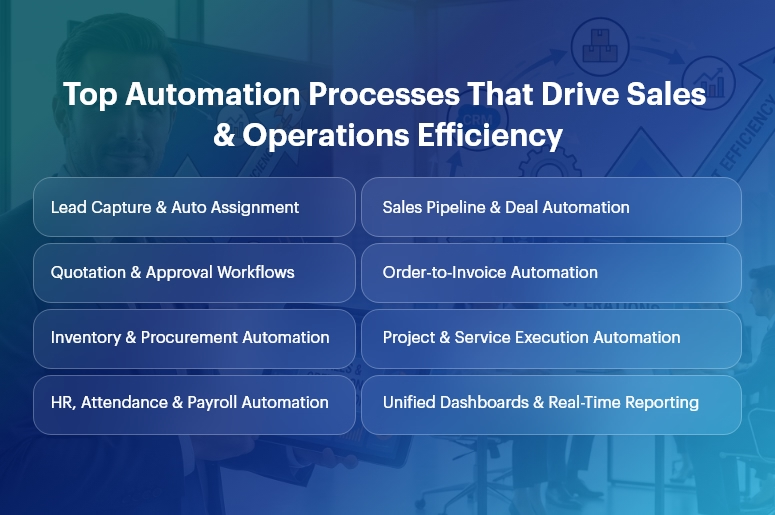
Core Automation Processes That Drive Impact
1. Lead-to-Opportunity Automation (CRM)
- Automated lead capture, scoring, and routing ensure every inquiry is assigned instantly to the right salesperson based on rules, territory, or workload.
- This eliminates response delays and improves conversion rates while giving managers pipeline transparency.
2. Sales Pipeline & Quotation Automation
- Stage-based pipeline automation updates deal probability, expected revenue, and next actions automatically.
- Integrated quotation workflows reduce pricing errors and speed up approvals using predefined discount and margin rules.
3. Order-to-Cash Automation
- Once a deal closes, sales and operations automation triggers sales orders, delivery schedules, invoicing, and payment tracking automatically.
- This removes manual handoffs between sales, operations, and finance, accelerating cash flow.
4. Inventory & Procurement Automation
- Automated stock updates and reorder rules prevent stockouts and excess inventory.
- Procurement workflows link demand forecasts with supplier orders, approvals, and GRNs.
5. Project & Service Delivery Automation
- Sales commitments convert directly into projects, tasks, and resource plans.
- Automated milestone tracking ensures timely delivery and accurate billing.
6. HR, Payroll & Attendance Automation
- Employee onboarding, attendance, payroll, and compliance workflows run automatically.
- This reduces administrative overhead and improves data accuracy across departments.
Implementation Best Practices
- Start with high-impact, cross-functional workflows that involve multiple teams, such as lead-to-cash or order-to-invoice. These deliver faster ROI.
- Standardize processes before automating. Automation amplifies efficiency — but it also amplifies inefficiencies if workflows are unclear.
- Use role-based dashboards so sales, operations, and leadership see only what matters to them.
- Automate approvals with guardrails, not bottlenecks. Define thresholds to balance speed and control.
Do’s and Don’ts
Do’s
- Automate end-to-end, not in silos, to ensure continuity across CRM, ERP, HR, and finance.
- Use real-time analytics to monitor performance and adjust workflows proactively.
Don’ts
- Do not over-customize early, which increases maintenance and slows adoption.
- Do not automate without change management — user adoption determines success.
Why Unified CRM Wins
Unlike point solutions, a unified CRM platform like CrmLeaf delivers true sales and operations automation by sharing a single data model across:
- CRM: Leads, opportunities, and customer interactions
- Projects & Manufacturing: Execution, delivery, and production planning
- Inventory & Procurement: Stock, vendors, and logistics
- HRMS & Payroll: Workforce and compliance
- Finance: Invoicing, accounting, and reporting
This eliminates integrations, data duplication, and reconciliation delays—creating one source of truth.
Customer Success
For example, a mid-sized manufacturing company implemented sales and operations automation using CrmLeaf to address delayed order processing and poor forecast accuracy.
Their sales team struggled with manual quotations, while operations lacked visibility into confirmed demand.
Within 90 days, Apex automated lead-to-order workflows, synchronized CRM deals with production planning, and introduced real-time inventory updates.
As a result, they achieved 28% faster order fulfillment, 35% improvement in forecast accuracy, and 20% reduction in working capital tied to excess inventory.
More importantly, leadership gained unified dashboards spanning sales, operations, and finance — enabling faster, data-driven decisions and scalable growth.
Key Takeaways & Closing
Automation is no longer optional — it is the backbone of scalable growth. Businesses that embrace sales and operations automation gain speed, accuracy, and visibility across their entire value chain.
From lead management and order processing to delivery, payroll, and finance, automation removes friction and unlocks performance.
As competition intensifies in 2025, organizations that delay automation risk falling behind. Those that act now position themselves for sustainable, profitable growth powered by connected systems and real-time insights.
FAQs
1. What is sales and operations automation?
Sales and operations automation connects CRM, ERP, and business workflows to automate lead management, order processing, delivery, and reporting in real time.
2. How does sales and operations automation improve efficiency?
It eliminates manual handoffs, reduces errors, and accelerates workflows across sales, operations, and finance using shared data.
3. Is sales and operations automation only for large enterprises?
No. SMBs benefit even more, as automation helps them scale without adding operational overhead.
4. How long does it take to see ROI from sales and operations automation?
Most businesses see measurable improvements within 60–120 days when high-impact workflows are automated first.
5. Why choose a unified CRM for automation?
A unified platform ensures seamless sales and operations automation without integrations, data silos, or reconciliation delays.
6. Can automation adapt as my business grows?
Yes. Scalable platforms like CrmLeaf allow workflows, approvals, and analytics to evolve with your business needs.
7. Does automation replace human decision-making?
No. Sales and operations automation supports teams with real-time data, enabling faster and smarter decisions rather than replacing them.