Future-Proofing Brick-and-Mortar with CRM Insights

Think retail is going all digital? Think again. Despite the rise of eCommerce, 85% of global retail sales still happen in physical stores (source). But survival isn’t guaranteed. Shifting consumer behaviors, rising costs, and fragmented operations put traditional stores at risk. To stay competitive, brick-and-mortar businesses need digital intelligence — the kind that only CRM systems can deliver. And not just any CRM. You need connected CRM insights for brick-and-mortar success.

In this blog, you’ll learn how CRM + ERP tools help retail, hospitality, and service-based businesses adapt faster, operate smarter, and serve better. We’ll break down the risks, show you what to do, and share how CRMLeaf makes the transition seamless.
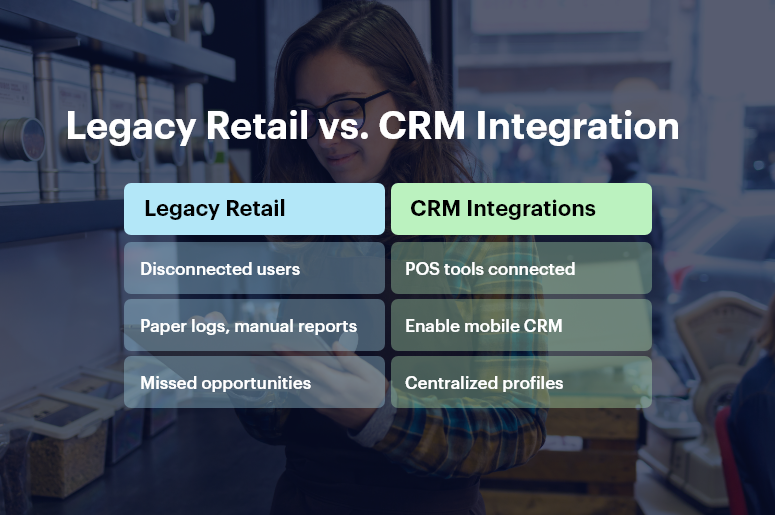
Legacy Retail vs. CRM Integration

Why CRM Insights for Brick-and-Mortar Matter More Than Ever

Digital transformation isn’t just for tech companies. Retailers, local service providers, restaurants, clinics, and franchise owners are now expected to:

  • Personalize every customer experience
  • Track inventory, orders, and service in real-time
  • Operate efficiently with smaller teams

But doing all this with disconnected tools, manual spreadsheets, or siloed teams simply doesn’t work.

Here’s why CRM insights for brick-and-mortar are mission-critical:

1. Shoppers Demand Personalization

Customers expect tailored experiences — from product recommendations to loyalty rewards. A CRM system centralizes data across POS, online, and mobile channels to build a unified customer view.

2. Inventory & Operations Must Be Agile

Supply chains are volatile. Stockouts and overstocks hurt profit. CRM + ERP helps monitor inventory across stores and warehouses, allowing real-time demand forecasting and procurement tracking.

3. Employee Productivity Impacts CX

Sales associates, front-desk staff, and service agents need fast access to customer preferences, previous purchases, and service history. CRM systems eliminate guesswork and improve in-store service quality.

4. Disconnected Tools Slow Growth

When your POS, marketing platform, and inventory software don’t talk, decisions suffer. CRM insights consolidate everything — from footfall data to sales metrics — on one dashboard.

Brick-and-mortar brands need more than foot traffic. They need foresight. That’s where CRM insights for brick-and-mortar drive real value.

Best Practices to Future-Proof with CRM + ERP

Here’s how to put CRM insights to work and modernize your physical business with confidence.

1. Centralize Customer Data Across Channels

Break silos by integrating sales, service, and marketing data in one place.

  • Create a unified customer profile that tracks preferences, visits, purchases, complaints, and feedback in one dashboard.
  • Use segmentation to personalize offers based on buying habits, location, and frequency — boosting conversion rates.
  • Enable in-store staff with mobile CRM tools so they can access real-time insights and offer better service instantly.

2. Streamline Inventory, Order, and Supply Chain Tracking

Move beyond reactive stock handling. Predict, plan, and restock smartly.

  • Set reorder thresholds with real-time stock visibility across stores and backrooms — reducing stockouts and waste.
  • Track supplier performance, order delays, and procurement costs within one ERP dashboard — saving time and money.
  • Sync online and offline channels to prevent double-selling and ensure consistent stock accuracy.

3. Leverage Footfall and Sales Data to Optimize Store Layouts

Data isn’t just for websites. Physical stores can optimize too.

  • Track in-store visit patterns, average dwell time, and popular product sections using CRM-linked analytics.
  • A/B test promotions, store layouts, and signage based on conversion metrics captured in the CRM.
  • Align staffing levels with footfall trends to ensure better service during peak hours without overspending during slow times.

4. Personalize Promotions and Loyalty Programs

Offer the right deal to the right customer at the right time.

  • Set up automated, behavior-triggered email or SMS offers based on in-store actions (like cart abandonment or seasonal purchases).
  • Reward loyalty points and send birthday/anniversary coupons directly from the CRM.
  • Track promo performance per store and segment to optimize ROI.

5. Integrate Staff Scheduling and HR into the CRM + ERP System

A productive team starts with smart staffing.

  • Build staff schedules based on traffic patterns and peak sales windows. Avoid overstaffing and under-staffing issues.
  • Track employee KPIs like conversion rates, upsell success, and service feedback using CRM dashboards.
  • Automate onboarding, attendance, and payroll integration for operational efficiency.

6. Use Predictive Analytics to Stay Ahead

Make decisions based on trends, not guesswork.

  • Forecast demand, sales trends, and foot traffic using historical CRM data combined with ERP analytics.
  • Identify customer churn risks and intervene early with personalized campaigns.
  • Optimize product placement, pricing, and promotions based on real-time CRM insights.

CRMLeaf’s AI-driven reports give real-time recommendations that improve both in-store and backend performance.

Real-World Impact

For example, a regional clothing store chain, used CRMLeaf’s CRM insights for brick-and-mortar to increase customer retention by 35% in six months.

Here’s how:

  • They centralized customer data from five locations into one CRM dashboard.
  • Automated loyalty campaigns drove repeat visits and higher basket values.
  • Inventory sync across stores cut out-of-stock issues by 50%.
  • In-store associates used tablets with CRMLeaf to upsell based on purchase history.

Result: Faster checkouts, happier customers, and a 22% increase in quarterly revenue.

Key Takeaways

  • Brick-and-mortar isn’t dying—it’s evolving.
  • CRM insights for brick-and-mortar help unify data, personalize customer service, and optimize operations.
  • CRM + ERP platforms like CRMLeaf give SMBs the tools to compete with larger chains by making smarter, faster decisions.

The future of retail, hospitality, and service businesses will belong to those who blend physical experiences with digital intelligence.

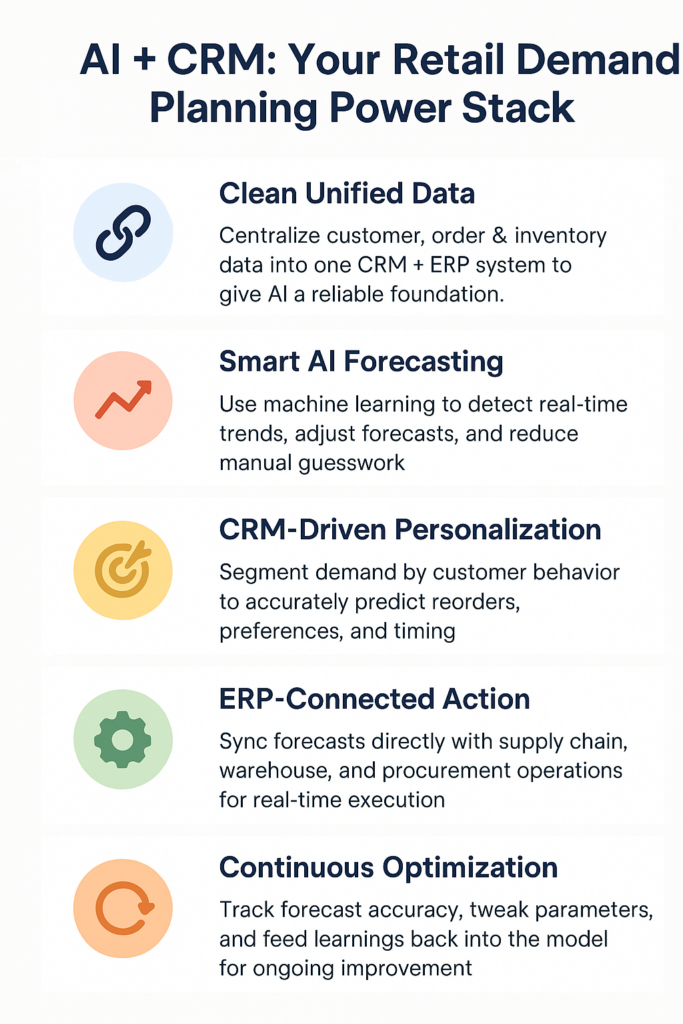
Predictive Trends: CRM & AI for Retail Demand Planning

Imagine this: You’ve stocked up for a hot-selling product, but sales flatline. Meanwhile, an unexpected trend leaves you out of stock for something else. Sound familiar? In today’s volatile retail landscape, demand shifts overnight. Consumer preferences change in real-time. And guesswork? It’s not good enough anymore. That’s why AI for retail demand planning is not just a competitive edge — it’s a necessity.

This blog dives into how CRM + ERP platforms with AI capabilities are transforming the way retailers forecast, plan, and grow — with smarter insights, real-time data, and less guesswork.

Why AI-Driven Retail Demand Planning Is Mission Critical

Modern retail lives on data. But data without intelligent forecasting leads to stockouts, excess inventory, missed revenue, and frustrated customers.

Let’s break down the business case for AI for retail demand planning — and why it matters now more than ever.

Retail Is Fast, Complex, and Personal

Whether you sell fashion, electronics, or groceries, the cycle has shrunk. Seasons change faster. Promotions influence short-term demand. And personalization matters more than ever.

  • Omnichannel behavior is unpredictable: Consumers may browse online, buy in-store, or abandon carts mid-purchase. AI helps forecast these hybrid journeys.
  • Promotional campaigns create spikes: Human planners often can’t predict flash-sale effects. AI spots these patterns and adjusts forecasts in real time.
  • Market trends shift rapidly: Social media can create demand overnight. AI tools detect emerging signals from external sources like news, trends, or events.

CRM + ERP Gives Context to Your Forecasts

A standalone forecasting tool is blind without context. CRMLeaf’s integrated CRM + ERP platform layers:

  • Sales history for pattern recognition
  • Customer segmentation to predict preferences
  • Inventory levels and supply chain data to sync demand with operations

This full-stack visibility helps planners make informed decisions, not educated guesses.

Predictive Trends: AI & CRM for Retail Demand Planning

Best Practices to Implement AI for Retail Demand Planning

Ready to embrace smarter planning? Let’s break down how to leverage AI with your CRM + ERP to make demand planning efficient, scalable, and predictive.

1. Start with Clean, Unified Data

Garbage in, garbage out. AI models only work when they’re trained on clean, consolidated data.

  • Centralize customer, order, and inventory data: Merge your systems into a single source of truth via your CRM + ERP.
  • Eliminate duplicates and data silos: Ensure every department — from sales to procurement — accesses the same, updated data sets.
  • Map historical trends: Feed 12–24 months of data into your system to help AI understand seasonality and past anomalies.

2. Use Predictive Algorithms That Learn and Adapt

Basic rules-based systems don’t cut it. You need AI that learns over time and reacts to changes.

  • Leverage machine learning to track micro-trends: Identify patterns like weekday sales spikes or post-promotion slumps.
  • Adjust forecasts automatically: Let AI recalculate demand forecasts based on real-time inputs like weather, holidays, or sudden traffic changes.
  • Handle anomalies intelligently: AI can detect and isolate outliers (like pandemic-level disruptions) to prevent skewed predictions.

3. Integrate CRM for Personalized Forecasting

Your CRM knows your customer better than any spreadsheet.

  • Segment demand by customer type: High-value customers may order differently than seasonal buyers. AI uses CRM data to tailor forecasts by segment.
  • Predict repeat purchases: Analyze lifecycle and frequency data to forecast when a customer is likely to reorder.
  • Automate marketing triggers: Use AI insights to trigger timely, personalized campaigns based on forecasted needs.

4. Link with ERP for End-to-End Visibility

Don’t just forecast — plan, allocate, and act using your ERP backend.

  • Plan procurement based on projected demand: Reduce overstock and understock by syncing forecasts directly with supply chain workflows.
  • Optimize warehouse operations: Route stock based on AI-driven location demand projections.
  • Improve financial planning: Forecast cash flow needs based on expected sales volume and seasonal peaks.

5. Monitor, Learn, Improve — Continuously

Predictive planning isn’t one and done. You must constantly fine-tune.

  • Track forecast accuracy: Use dashboards to compare predicted vs actual performance.
  • Adjust parameters: If promotional periods or product cycles change, tweak your model assumptions.
  • Review post-mortem insights: After a season ends, analyze what worked and what didn’t — and feed that back into the system.

Case Study: Smarter Forecasting Drives 30% Less Overstock

For example, ModaHome, a mid-sized home furnishing retailer, used CRMLeaf’s AI-powered demand planning module to overhaul their seasonal forecasting.

Before, they relied on spreadsheets and instinct — leading to 20–25% overstock after every sale. After implementing CRMLeaf:

  • Forecast accuracy improved by 42% in just one quarter
  • Inventory costs dropped by 30% due to better purchasing
  • Fulfillment time reduced by 15% with warehouse optimization

Their team can now focus on innovation instead of guesswork.

Key Takeaways

  • AI for retail demand planning isn’t futuristic — it’s here and delivering results.
  • Combined with CRM + ERP, AI delivers context-rich, real-time, and predictive forecasts that actually align with customer behavior.
  • Clean data, adaptive models, customer segmentation, and ERP integration form the core pillars of smarter planning.

With CRMLeaf, you can eliminate manual forecasting, reduce planning errors, and stay ahead in a dynamic retail world.

Smart Expense Policy Tips That Save Money and Empower Teams

Crafting expense policy tips isn’t just about limiting costs — it’s about empowering teams with clear guidance, fast reimbursements, and shared trust. In this post, you’ll learn essential expense policy tips to design an optimized expense framework, reduce waste, and enhance employee satisfaction — all while simplifying enforcement through CRMLeaf’s integrated CRM + ERP platform. By the end, you’ll have a step-by-step guide to creating a policy that benefits both your bottom line and your people.

Why Smart Expense Policy Tips Matter

For small and mid-sized businesses, expenses can quickly spiral out of control:

  • Ghost expenses (unapproved or vague charges) slip through unnoticed
  • Administrative overload: Manual checks slow down finance teams
  • Employee frustration: Delayed reimbursements and unclear rules hurt morale

Furthermore, rigorous but fair expense rules are crucial across sectors:

  • Sales teams need clarity on travel, meals, and client entertainment
  • Field service teams manage mileage, per diems, and parts expenses
  • Professional services firms require expense compliance for client-billable items

A well-designed policy clarifies what’s allowed, what’s not, and how fast reimbursements arrive. With CRMLeaf, you get expense automation, real-time receipt uploads, and triggered workflows — so your reimbursement workflow becomes fast, compliant, and friction-free.

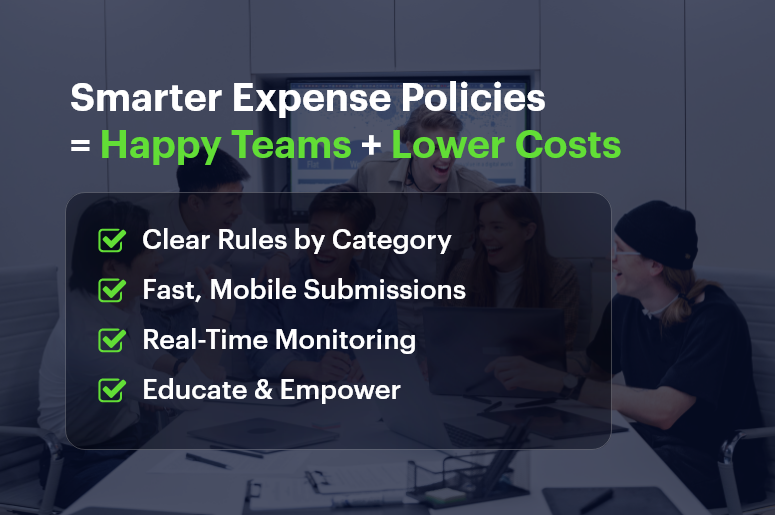
Smarter Expense Policies = Happy Teams + Lower Costs

Best Practices & Actionable Expense Policy Tips

Here are proven expense policy tips, each showcasing CRMLeaf features:

Define Clear Spending Categories

  • Meals & entertainment limits: e.g., $50 per meal or $25 per client visit
  • Travel guidelines: Clarify rules for rideshares, mileage rates, flights, and hotels
  • Other types: Outline policies for office supplies, client gifts, and training costs

CRMLeaf Tip: Configure category-based approval workflows — any “Meals” expense over the threshold automatically goes to a manager, streamlining approval workflow.

Automate Submission & Approval

  • Mobile receipt uploads: Let employees snap photos on the go
  • Policy checks at submission: Flag non-compliant claims before approval
  • Fast-track approvals: Auto-approve small claims while routing larger ones to managers

CRMLeaf Advantage: Digitized forms, real-time validation, and auto-routing make expense automation seamless and compliant.

Promote Transparency & Education

  • Publish a clear e-policy: Provide FAQs and guidelines in internal docs
  • Offer training sessions: Use videos or Q&A to reinforce expectations
  • Send regular reminders via email or team tools

CRMLeaf Feature: Embed policy documents directly into expense forms—employees see rules exactly when they submit claims, supporting better expense compliance.

Monitor & Analyze Expense Trends

  • Review by category: Monitor trends in meals, travel, supplies, and mileage
  • Spot anomalies: Detect repeated over-limit behaviors
  • Refine policy thresholds using insights

CRMLeaf Reporting: Export charts and dashboards that break down expenses by team, category, or period—making your expense tracking audit-ready.

Encourage Responsible Behavior

  • Set soft limits: Suggest “try to keep meals under $40” instead of banning meals outright
  • Reward compliance: Acknowledge teams that follow policies consistently
  • Enable pre-approval for exceptions: Allow managers to approve unusual expenses upfront

CRMLeaf Workflow: Automate pre-approvals for travel or high-expense categories to reduce delays and friction.

Customer Success: BrightServe Services

BrightServe Services, a field service firm, faced frequent expense disputes and slow reimbursements. They implemented CRMLeaf’s expense automation tools:

  • Auto-flagged policy violations
  • Enabled mobile receipt uploads
  • Streamlined multi-tier approval workflows

Results:

  • Reimbursement times dropped from 14 to 3 days
  • Policy violations dropped by 60%
  • Employee satisfaction increased by 25%
  • Finance team audit workload decreased by 40%

BrightServe credits CRMLeaf’s integrated CRM + ERP expense management with reducing administrative overhead and boosting morale.

Key Takeaways: Expense Policy Tips That Work

Effective expense policy tips deliver clarity, control, and convenience. To summarize, follow this blueprint:

  • Define clear spending categories
  • Automate submission and approval processes
  • Promote transparency and staff education
  • Monitor trends and refine policy thresholds
  • Encourage smart, responsible behavior

Combined with CRMLeaf’s expense automation, you gain:

  • Real-time monitoring
  • Faster reimbursement workflow
  • Audit-ready compliance
  • Happier, informed teams

FAQs

Q: What are the best expense policy tips?
A: Include clear spending categories, automated approvals, real-time monitoring, and staff education.

Q: Can small businesses use these tips?
A: Absolutely! Even small teams gain from automated workflows, mobile receipts, and audit-ready tracking.

Q: How can CRMLeaf help?
A: CRMLeaf offers integrated CRM + ERP, expense policy enforcement, approval workflows, analytics dashboards, and audit trails—all in one platform.

Q: How do I start?
A: Define categories and thresholds, set approval workflows, train staff, and pilot with CRMLeaf to see immediate ROI.

The Secret to Managing Large Deals with Multiple Stakeholders

Did you know that enterprise deals involving five or more stakeholders are 50% more likely to stall? The reason: misalignment, siloed communication, and lack of coordination.

Big deals bring big rewards — but also big risks. When departments like finance, procurement, operations, and IT all weigh in, a single misstep can delay months of effort.

That’s where CRM for managing large deals comes in.

This post reveals how structured stakeholder management, unified deal communication, and KPI-driven tracking can help close complex deals faster. Plus, you’ll see how CRMLeaf’s CRM + ERP makes it all seamless.

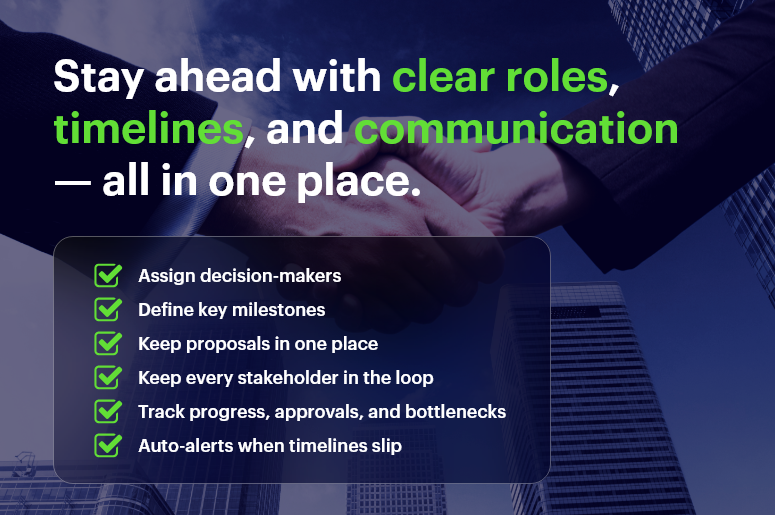
tay ahead with clear roles, timelines, and communication — all in one place

Why Large Deals Need a Strategic Approach

Managing large deals isn’t just a sales task—it’s a company-wide initiative. You need more than a pitch deck. You need structure.

Let’s break down the key challenges:

  • Longer sales cycles: More stakeholders mean more reviews, delaying decisions.
  • Siloed communication: Teams use separate tools. Key info gets lost.
  • Misalignment risk: Without goal alignment, deals fall apart.
  • Complex value analysis: Legal, tax, and finance each assess deals differently.

These issues affect every industry:

  • Healthcare: Input from physicians, legal, IT, and procurement.
  • Manufacturing: Collaboration between engineering and supply chain.
  • SaaS/Tech: Multi-department integrations, security reviews, ROI analysis.

With CRM for managing large deals, businesses can simplify the chaos.

Why CRM + ERP Matters in Large Deal Management

Here’s how a CRM for managing large deals transforms your process:

  • Clear roles and responsibilities
  • Unified communication across teams
  • Transparent, real-time progress tracking
  • Centralized documentation and version control

Instead of relying on scattered emails or disconnected tools, a unified CRM + ERP like CRMLeaf brings every stakeholder into one system — keeping complex deals on track.

Best Practices: Using CRM for Managing Large Deals

1. Map Stakeholders from Day One

Start by identifying all decision-makers: finance, IT, legal, procurement, and executive sponsors. Know their priorities, timelines, and common objections.

Assign a Deal Champion for each group to streamline communication.

CRMLeaf lets you tag stakeholders, route tasks, and track updates—automatically.

2. Build a Milestone-Driven Deal Timeline

Break the process into clear stages:

  • Discovery
  • Proposal
  • Legal Review
  • Technical Evaluation
  • Final Negotiation
  • Closure

Assign deadlines and visualize progress with Kanban or waterfall views.

CRMLeaf’s deal pipeline shows real-time status—helping you flag blockers before they cause delays.

3. Centralize Communication for All Stakeholders

Create a shared workspace with:

Set a weekly cadence for updates and allow external visibility (e.g., legal or finance consultants).

CRMLeaf’s collaboration module keeps all communications tied to the deal record—with automatic alerts.

4. Store Documents in a Central Library

No more lost attachments or outdated versions. Create folders for:

  • Proposals
  • Contracts
  • SOWs
  • Compliance files

Tag files with role-based access (e.g., finance vs legal) and maintain audit trails.

CRMLeaf provides version control and stakeholder-specific permissions.

5. Track Deal KPIs in Real Time

Set your KPIs early:

  • Decision dates
  • Approval deadlines
  • Budget alignment
  • Contract terms

Automate progress tracking with dashboards. Set alerts for delays to prevent slippage.

CRMLeaf’s CRM for managing large deals makes KPI visibility instant and actionable.

6. Define Escalation Protocols

Don’t wait for a problem to react. Pre-plan your escalation path by role and deal phase.

Use:

  • Pre-set email templates
  • Approval workflows
  • 48-hour inactivity triggers

CRMLeaf automates escalations. For example, if finance delays an approval, the CFO is alerted.

Case Study: Apex Construction Supply

Challenge: Apex — a mid-sized manufacturer — was closing a $2M global contract involving six departments. The deal stalled for 60+ days due to document confusion and missed approvals.
Solution: Using CRMLeaf’s CRM for managing large deals, Apex:

  • Built a stakeholder map
  • Assigned automated tasks
  • Used shared workspaces for file sharing and version control
  • Tracked KPIs via dashboards
  • Triggered automatic reminders and escalations

Result: Deal closed in 30 days — a 50% reduction in cycle time. Compliance was smooth, departments trusted the process, and revenue was recognized early.

Key Takeaways

Large enterprise deals don’t have to be messy. With a strategic approach, the right CRM tools, and cross-functional alignment, you can reduce delays and close faster.

Here’s what you need to succeed:

CRMLeaf’s CRM + ERP simplifies managing large deals from start to finish — so your team stays focused and your deals stay on course.

Reduce Downtime with Real-Time Work Order Tracking

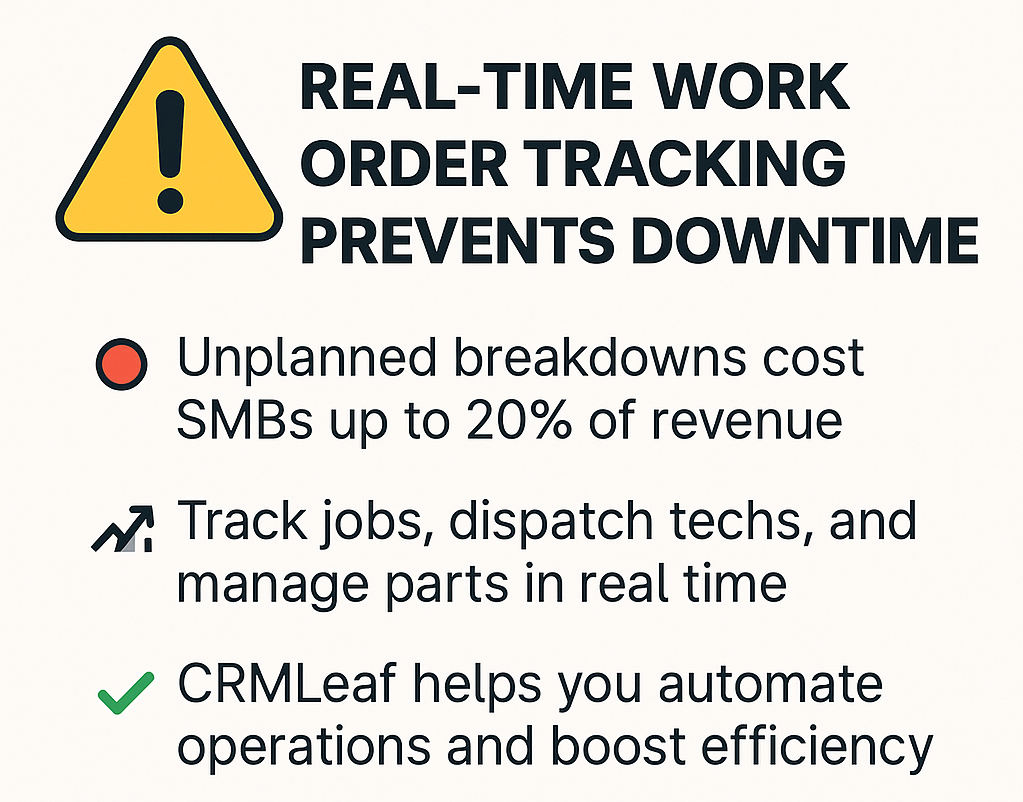
In today’s fast-paced market, unplanned equipment breakdowns and delayed service calls can cost SMBs up to 20% of their annual revenue. If you’re still juggling spreadsheets, sticky notes, and disconnected solutions, you’re inviting downtime and disappointed customers. With an integrated customer relationship management software and ERP platform, you can transform chaos into clarity — automatically capturing work order updates, dispatching technicians, and tracking parts in real time.

In this post, you’ll learn how real-time work order tracking reduces downtime, slashes labor costs, and elevates customer satisfaction. We’ll explore the business case, best practices, and actionable tips — plus a hypothetical success story — to show why CRMLeaf is your trusted partner for end-to-end operations management.

Business Need & Importance

As businesses grow, so does the complexity of coordinating field service, inventory, and customer expectations. CRMLeaf’s CRM + ERP platform solves this by unifying every stage of the service lifecycle — right from the customer call to the final invoice. Here’s why real-time work order tracking within your customer relationship management software matters:

Minimizing Idle Time

When field teams aren’t instantly updated on new tasks or status changes, they waste time waiting for dispatchers or hunting for parts. Real-time tracking ensures every technician knows exactly where to go and what to do next — eliminating guesswork and bench time.

Boosting First-Time Fix Rates

By integrating your document management system and parts inventory, technicians arrive fully equipped. No more return visits because of missing components. First-time fixes translate into happier customers and reduced labor expenses.

Enhancing Customer Transparency

Today’s end-users demand immediate updates. A linked customer relationship management software module sends automatic SMS or email alerts when jobs are assigned, in progress, or completed — building trust and improving your Net Promoter Score (NPS).

Streamlining Compliance & Audits

For industries like healthcare, manufacturing, and utilities, accurate service logs are mandatory. Automated time stamps, digital signatures, and geo-tags stored in a document control software ensure you’re always audit-ready.

Real-time work order tracking is critical across multiple verticals:

  • Manufacturing: Keep production lines running by prioritizing repair orders.
  • Facilities Management: Coordinate janitorial, HVAC, and security tasks on a single dashboard.
  • Telecommunications: Dispatch field engineers with live network status updates.

By centralizing operations in one CRM + ERP solution with built-in customer relationship management software, you gain visibility and agility — essential ingredients for sustainable growth.

Real-time Work Order Tracking

Best Practices & Actionable Tips

Ready to implement real-time work order tracking? Follow these best practices to maximize ROI and minimize downtime:

1. Establish a Unified Data Backbone

Standardize Terminology & Processes

Define clear work order statuses —“Scheduled,” “In Progress,” “Awaiting Parts,” “Completed”—so every team speaks the same language. This consistency prevents miscommunication between dispatchers, technicians, and managers.

Integrate with Human Resource Management Software

Sync work orders with employee profiles to automatically assign tasks based on skill sets, certifications, and availability tracked in your all in one HR software.

2. Leverage Mobile-First Workflows

Deploy a Field Service Mobile App

Empower technicians with offline access to work orders, service history, and parts catalogs. An intuitive mobile interface reduces data-entry errors and speeds up job completion.

Automate Photo & Signature Capture

Require field staff to snap before-and-after images or collect customer signatures. These artifacts feed directly into your document management or legal document management software, ensuring compliance.

3. Implement Proactive Notifications

Real-Time Dispatch Alerts

Use geofencing and live location data to automatically notify the nearest qualified technician when a high-priority work order is created. This cuts response times dramatically.

Customer Alerts & Feedback Loops

Send automated SMS or email updates when the technician is en route or job status changes. Immediately request feedback upon completion to close the quality loop.

4. Optimize Inventory & Parts Management

Real-Time Inventory Sync

Integrate your document management system with parts warehouses to display accurate stock levels. Low-stock triggers should auto-generate purchase orders or alert warehouse managers.

Bill of Materials (BOM) Templates

Predefine BOM for common repairs. When a work order is generated, the system auto-populates required parts — reducing manual selection errors and restock delays.

5. Analyze, Refine, Repeat

Work Order Performance Dashboards

Track KPIs like average response time, mean time to repair (MTTR), and technician utilization. Use these insights to reassign resources or retrain staff.

Continuous Improvement Workshops

Hold quarterly reviews with cross-functional teams — operations, customer service, HR, and finance — to identify bottlenecks. Feed learnings back into process updates in your human resource management systems.

By adopting these practices within a unified CRM systems framework powered by customer relationship management software, you eliminate data silos, ensure accountability, and drastically reduce unplanned downtime.

Customer Success Story: Apex Industrial Services

Apex Industrial Services, a mid-sized manufacturing company, leveraged CRMLeaf’s real-time work order tracking to overhaul their field service operations. Before CRMLeaf, Apex relied on paper tickets and separate spreadsheets — resulting in average response times of 4.8 hours and a first-time fix rate of just 62%.

Within three months of implementation:

  • Response Time ↓ 45%

Automated dispatch and mobile alerts cut average response from 4.8 to 2.6 hours.

  • First-Time Fix Rate ↑ 30%

Integrated parts inventory and BOM templates ensured technicians arrived fully equipped.

  • Downtime Costs ↓ 28%

With production lines back online faster, Apex saved nearly $75,000 in lost output.

CRMLeaf transformed our service delivery,” says Operations Director Maria Lee. “The visibility and automation not only improved customer satisfaction but also freed our back-office teams from manual data entry.

Key Takeaways: CRM + ERP Meets Real-Time Field Service

Real-time work order tracking isn’t just a nice-to-have — it’s a strategic imperative for SMBs aiming to outpace competition. By centralizing dispatch, mobile field tools, inventory sync, and customer notifications within a single customer relationship management software platform, you’ll:

  • Slash unplanned downtime and labor costs
  • Boost first-time fix rates and customer satisfaction
  • Maintain audit-ready records with built-in document control software

At CRMLeaf, we provide an end-to-end CRM + ERP solution that ties together attendance software, payroll services for small business, online payroll services, and service management — eliminating data silos and driving efficiency across your entire organization.

How to Capture High-Quality Leads from Facebook & Social Ads into Your CRM

Did you know that over 2.8 billion people use Facebook every month, making social media ads one of the most cost-effective channels for customer relationship management software lead generation? Yet, many small and mid-sized businesses struggle to translate clicks into meaningful CRM contacts.

Filling your CRM systems with high-quality leads isn’t just about boosting your sales pipeline — it’s about streamlining operations, improving document management, and even optimizing payroll services for small businesses with accurate employee data.

In this post, you’ll discover proven tips to create, target, and optimize Facebook and social ads that feed directly into your customer relationship management software. Plus, we’ll show how integrating these campaigns with CRMLeaf’s all-in-one CRM + ERP platform can skyrocket your ROI.

Why It Matters for Business Growth

In today’s hyper-competitive marketplace, acquiring leads isn’t enough — quality matters as much as quantity. For operations managers, sales teams, HR professionals, and finance leaders, a steady stream of relevant contacts translates into stronger pipelines, happier clients, and more predictable revenue.

Scalable Growth

Use social ads to target specific industries — like professional services, retail, or manufacturing — and ensure your customer relationship management software is populated with leads that match your ideal customer profile.

Data-Driven Decisions

Feed leads directly into a document management system within your CRM + ERP platform. Each inquiry is tagged, scored, and routed to the right team, eliminating manual entry and aligning with human resource management systems.

Aligned Teams

Imagine HR accessing lead data to forecast hiring, while Finance models revenue per employee using online payroll services. With all in one HR software, collaboration is built in.

Real Example

A boutique retailer running a VIP Facebook ad campaign can sync leads into their human resource management software. These leads receive personalized messages, while HR prepares employee profiles for quick onboarding.

When campaigns connect to CRMLeaf’s platform — featuring attendance software, legal document management software, and payroll services near me integrations — every lead becomes part of a complete customer journey.

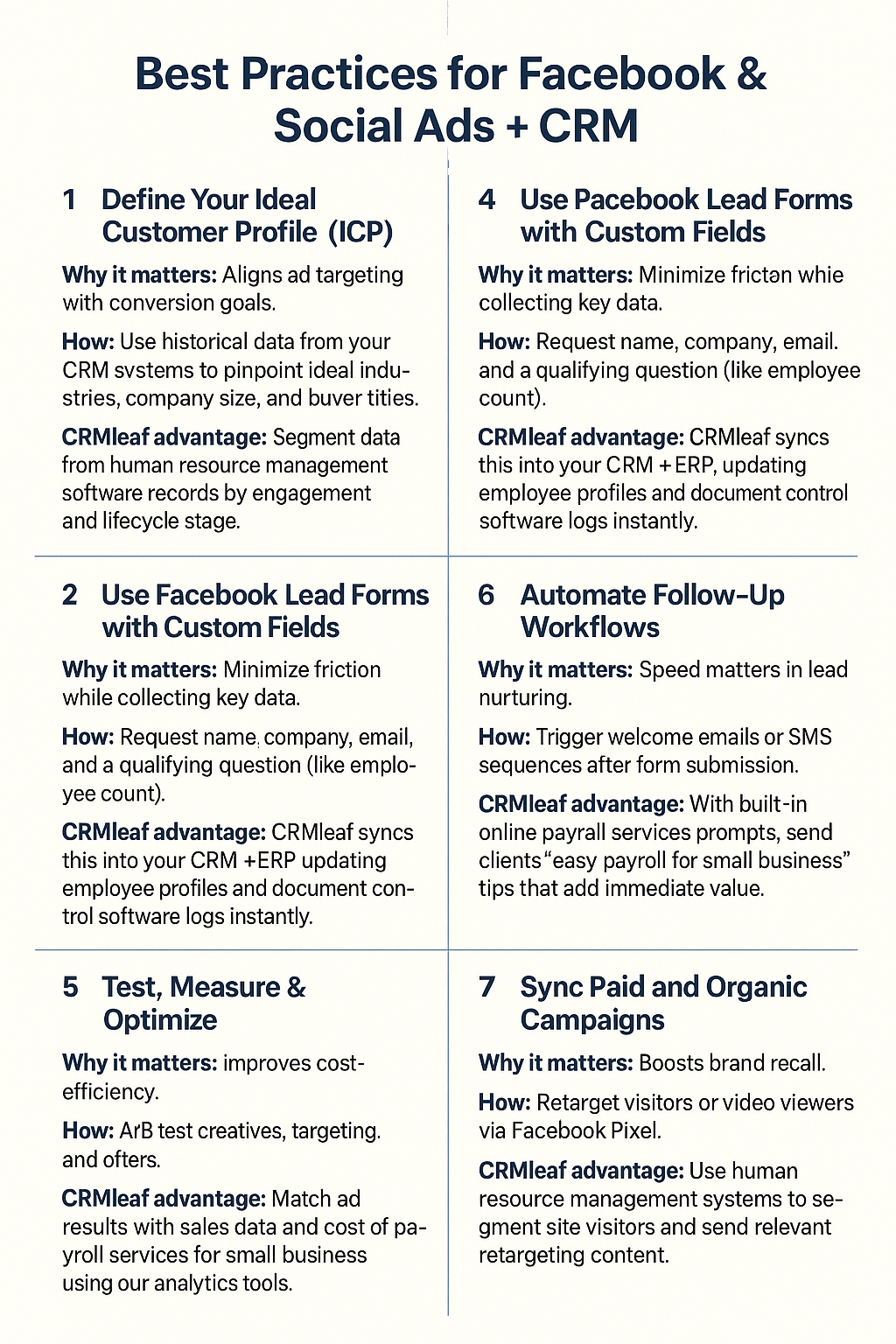
Best Practices for Facebook & Social Ads + CRM

1. Define Your Ideal Customer Profile (ICP)

Why it matters: Aligns ad targeting with conversion goals.
How: Use historical data from your CRM systems to pinpoint ideal industries, company size, and buyer titles.
CRMLeaf advantage: Segment data from human resource management software records by engagement and lifecycle stage.

2. Craft Ad Creative That Speaks to Pain Points

Why it matters: Attention spans are short.
How: Emphasize real benefits—such as saving time using online payroll services for small businesses. Use clean visuals and punchy headlines.
CRMLeaf advantage: Pull actual customer quotes from your customer relationship management software for trust-building social proof.

3. Use Facebook Lead Forms with Custom Fields

Why it matters: Minimize friction while collecting key data.
How: Request name, company, email, and a qualifying question (like employee count).
CRMLeaf advantage: CRMLeaf syncs this into your CRM + ERP, updating employee profiles and document control software logs instantly.

4. Implement Lead Scoring & Qualification

Why it matters: Focus on sales-ready leads.
How: Assign values based on ad engagement, form answers, and page visits.
CRMLeaf advantage: Automated rules in our customer relationship management software prioritize hot leads, pushing them to Sales.

5. Automate Follow-Up Workflows

Why it matters: Speed matters in lead nurturing.
How: Trigger welcome emails or SMS sequences after form submission.
CRMLeaf advantage: With built-in online payroll services prompts, send clients “easy payroll for small business” tips that add immediate value.

6. Test, Measure & Optimize

Why it matters: Improves cost-efficiency.
How: A/B test creatives, targeting, and offers.
CRMLeaf advantage: Match ad results with sales data and cost of payroll services for small business using our analytics tools.

7. Sync Paid and Organic Campaigns

Why it matters: Boosts brand recall.
How: Retarget visitors or video viewers via Facebook Pixel.
CRMLeaf advantage: Use human resource management systems to segment site visitors and send relevant retargeting content.

8. Monitor Compliance and Privacy

Why it matters: Avoid legal issues.
How: Ensure opt-in language complies with GDPR, CCPA, etc.
CRMLeaf advantage: Our document management system logs every lead form submission with secure timestamps.

Customer Success: MapleCare Health

MapleCare Health, a growing healthcare provider, used CRMLeaf’s human resource software and CRM systems to power their Facebook ad strategy.

  • Launched a campaign targeting senior wellness checkups, gaining 1,200+ leads.
  • Automated scoring, routing high-value leads to care reps.
  • Reduced data entry time by 80% with document management automation.

Results:

  • 30% increase in bookings
  • 25% drop in cost per lead
  • Optimized scheduling using attendance software and payroll processing companies data

Final Takeaways

Running Facebook and social ad campaigns is just step one. With CRMLeaf’s integrated customer relationship management software, you can:

  • Automatically capture and qualify leads
  • Sync lead data into human resource management systems and employee profiles
  • Improve speed-to-response with automated workflows
  • Optimize decisions using real-time data from online payroll services and best HR software

By aligning campaigns with CRMLeaf’s powerful CRM + ERP system — including payroll services for one employee, document control software, and legal document management software — you turn clicks into real revenue.