Manage Documents & Contracts Securely in CRM

Did you know that employees spend nearly 20% of their time searching for documents? That’s a full workday each week — wasted. Now imagine the cost when the wrong contract version is sent, or a critical document goes missing. As teams grow and customer data multiplies, the need to manage documents and contracts securely in CRM becomes non-negotiable.

In this blog, we’ll break down exactly why this matters, what businesses can do, and how CRMLeaf’s secure document management features can help you stay compliant, efficient, and ahead of the curve.

Why Secure Document & Contract Management Matters for Business

Paper clutter is a thing of the past — but digital chaos is just as dangerous. As businesses expand, so do their digital files. Think sales proposals, signed contracts, onboarding docs, vendor agreements, and audit trails. Now multiply that by departments, clients, and regions.

For growing teams in industries like real estate, legal services, and B2B SaaS, managing this information manually or across disconnected tools is a recipe for errors, delays, and compliance risks.

Here’s why smart businesses choose to manage documents and contracts securely in CRM:

  • Compliance and Audit-Readiness Secure CRMs provide timestamped document logs, ensuring you meet data protection regulations like GDPR, HIPAA, or SOC2 with minimal effort.
  • Single Source of Truth When contracts, proposals, and communications are all stored centrally, teams stop wasting time searching across inboxes and folders.
  • Faster Approvals and Closures Digitally managing contracts reduces approval delays. Workflows, version control, and eSignature integrations accelerate business.
  • Reduced Risk of Data Breach Encrypted file sharing and role-based access controls protect your sensitive documents from unauthorized access.
  • Better Collaboration With CRM document management, your sales, legal, and finance teams can work on the same contract with tracked updates — without ever needing to download the file.
Lost Contracts Lost Deals

Best Practices to Manage Documents and Contracts Securely in CRM

To truly benefit, you need more than storage. You need strategy. Let’s walk through actionable best practices that empower businesses to maintain secure, streamlined control over their contracts and documents.

1. Use Role-Based Access Controls

Not everyone should have access to every file. CRMs like CRMLeaf allow you to define user roles and restrict document access based on department, project, or clearance level.

2. Centralize Documents in a Digital Contract Repository

Keep all files in a centralized document control area inside your CRM. No more shared drive chaos or scattered attachments.

3. Automate Contract Lifecycle Management

Set up workflows to trigger notifications, contract renewals, expiration alerts, and approval requests to automate your document approval workflow.

4. Leverage Version History & Audit Trails

Always know who edited what and when. A secure CRM document storage system ensures every update is logged for full transparency.

5. Enable Encrypted File Sharing

When sharing contracts or proposals externally, use CRM platforms with encrypted file sharing to eliminate leak risks.

6. Integrate eSignature Tools

Enable CRM with eSignature support to cut down turnaround time for contract closures. Customers can sign digitally — fast, secure, and paperless.

7. Set Expiry Dates & Auto-Reminders

Avoid missed deadlines by tagging documents with review or renewal dates. CRMLeaf automatically sends reminders ahead of time.

8. Tag & Categorize for Searchability

Organize files using smart tags like client name, project ID, contract type, etc. Finding documents becomes effortless.

Customer Success Spotlight

For example, NovaLegal, a legal advisory firm, used CRMLeaf’s contract lifecycle management to reduce document processing time by 60%. Here’s how:

  • They centralized over 15,000 contracts using CRMLeaf’s digital contract repository.
  • Using document approval workflows, they cut down manual follow-ups and improved approval turnaround.
  • With CRMLeaf’s secure data storage in CRM, they ensured GDPR compliance without investing in external tools.

The result? Faster deal cycles, lower legal risks, and a 3X increase in document collaboration across departments.

Key Takeaways

  • Secure document and contract management isn’t optional — it’s essential for compliance, collaboration, and customer trust.
  • You need more than storage — you need encrypted file sharing, eSignature integrations, and automated workflows.
  • With CRMLeaf, you don’t just manage documents and contracts securely in CRM — you turn document chaos into organized, audit-ready productivity.

In short, the right CRM can give your team peace of mind while improving efficiency and closing deals faster.

Automate Follow-Ups for Site Visits & Open Houses with CRM

Did you know that 80% of sales require at least five automate follow-ups to close a deal, but 44% of agents give up after just one? This gap is especially problematic in industries like real estate, construction, and home improvement, where site visits and open houses are high-intent moments — but if not followed up promptly, they lose momentum.

So why is consistent follow-up so hard?

Because juggling calls, messages, and calendars manually is time-consuming, error-prone, and unscalable.

That’s where automation comes in.

In this blog, you’ll learn how to automate follow-ups for site visits & open houses using CRMLeaf’s unified CRM + ERP platform. We’ll cover the business benefits, best practices, and real-world examples to help you convert site visits into deals — with less effort and more consistency.

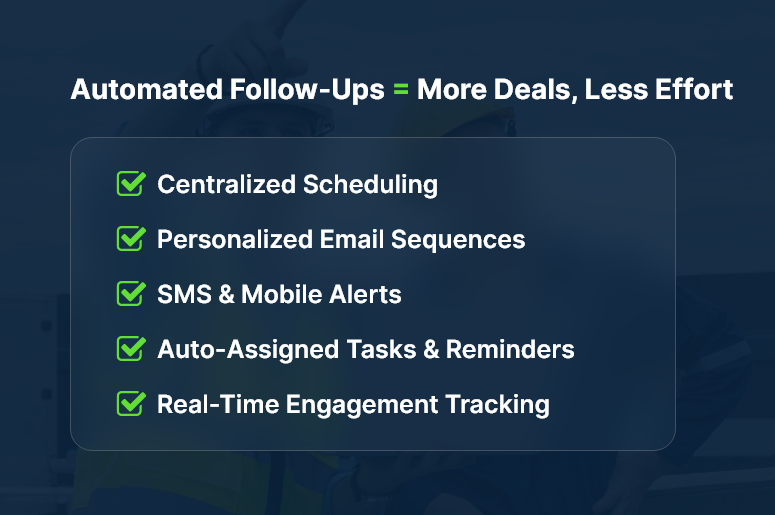
Automated Follow-Ups = More Deals, Less Effort

Why Automated Follow-Ups Matter for Growing Businesses

For real estate agents, field service professionals, and interior designers, site visits and open houses are a crucial touchpoint. These in-person interactions signal high interest — but they also require fast, consistent follow-up to maintain that momentum.

However, small and mid-sized businesses often struggle with:

  • Manual scheduling and reminders — which leads to dropped leads and missed opportunities.
  • Disjointed tools — using spreadsheets, calendars, and email platforms that don’t talk to each other.
  • Lack of follow-up visibility — teams don’t know who followed up, when, or what was discussed.

This creates lost revenue, slower sales cycles, and a poor client experience.

Automated follow-ups solve all these problems. When powered by a CRM + ERP platform, they ensure every lead from a site visit or open house receives a personalized follow-up message, scheduled reminders, and continues moving through the pipeline.

Industries that benefit the most:

  • Real Estate Agencies – Automatically follow up with every attendee post–open house, with tailored emails and listings.
  • Home Renovation Firms – Send post-site visit estimates, project photos, and reminders for approvals.
  • B2B Equipment Sales – Trigger product specs, pricing, and next steps after demo site visits.

When you automate follow-ups for site visits & open houses, you’re not just saving time — you’re creating a system that never lets a lead fall through the cracks.

Best Practices: How to Automate Follow-Ups Effectively

1. Capture Site Visit Data Automatically

  • Use CRMLeaf’s appointment scheduler or calendar sync to log every site visit or open house instantly. This ensures that no visit goes unrecorded and every lead is properly categorized.
  • Automatically associate leads with properties or projects, so you can trace communication back to a visit and personalize future touchpoints.
  • Include notes, tags, and photos to personalize follow-ups based on the in-person experience.

2. Set Up Triggered Follow-Up Workflows

  • Build automation rules: For example, “Send follow-up email 2 hours after site visit ends.” This ensures timely responses and consistent lead engagement.
  • Trigger a sequence of messages: thank you emails, additional listings, project estimates, or review requests.
  • Add dynamic placeholders to personalize each message with names, visit dates, or specific property names.

3. Assign Tasks and Reminders

  • Automatically assign a follow-up task to the sales rep once the site visit is complete, keeping the process on track.
  • Use priority flags and due dates to keep things from slipping.
  • Get notifications if no follow-up is completed within a defined time window (say, 48 hours).

4. Leverage SMS and Mobile Alerts

  • CRMLeaf enables SMS reminders and mobile push alerts for high-urgency contacts, improving engagement.
  • This boosts response rates, especially in fast-moving markets or B2C industries.
  • You can also integrate WhatsApp or Facebook Messenger via CRMLeaf’s communication modules.

5. Track Engagement and Optimize the Funnel

  • Monitor which leads open, click, or reply to follow-up messages to measure effectiveness.
  • Adjust your message templates and timing based on performance insights.
  • Use CRM dashboards to visualize conversion stages: from visitfollowupproposalclosed deal.

6. Enable Multi-Channel Follow-Ups

  • Don’t rely on just one channel. Mix emails, calls, texts, and in-app messages in your automation workflows.
  • CRMLeaf supports omnichannel contact records, helping you stay in sync regardless of how the lead communicates.
  • This ensures your buyer engagement doesn’t feel robotic — it feels timely and personalized.

7. Integrate with Calendar and Sales Tools

  • Sync your CRM + ERP with Google Calendar, Outlook, or Zoom to send pre- and post-visit follow-ups.
  • If a meeting is rescheduled or canceled, automation rules can update the follow-up plan accordingly.
  • This reduces administrative overhead and keeps your funnel moving forward — even during chaos.

Customer Success Story

For example, EliteProperty Group, a mid-sized real estate brokerage, used CRMLeaf’s automation suite to follow up with open house attendees. Within 3 months:

  • They boosted response rates by 41% through automated, personalized emails.
  • Average deal closure time dropped by 28% thanks to consistent, timely follow-ups.
  • Sales reps saved nearly 7 hours per week, which they reinvested into client showings and negotiations.

Their strategy was simple: use CRMLeaf to automate follow-ups for every site visit, send event-specific listings, and track response behavior in real-time.

Key Takeaways & Closing

When you automate follow-ups for site visits & open houses, you:

  • Centralize your communication, ensuring no visitor is left without follow-up.
  • Accelerate sales timelines with consistent, rule-based outreach.
  • Improve team productivity by eliminating manual tasks.

In short, automated follow-ups allow you to stay ahead, appear more professional, and close more deals — without increasing your workload.
Whether you’re a real estate agent, contractor, or B2B vendor, CRMLeaf gives you the tools to turn visits into revenue.

Task Dependencies: The Secret to Delivering On Time

Are project deadlines slipping through your fingers? You’re not alone. According to PMI, only 52% of projects finish within their original timeline. Surprisingly, it’s often not due to unproductive teams — it’s poor task dependencies management that derails everything.

When a single task gets delayed, the entire project timeline suffers. But with a CRM + ERP platform like CRMLeaf, you can visualize task dependencies, adjust in real time, and keep your project delivery on track.

Why Task Dependencies Matter Across All Industries

Task dependencies aren’t just project management buzzwords. They define how tasks are connected and executed. When ignored, they create bottlenecks. When managed well, they build project momentum.

Let’s look at how this plays out across industries:

  • Manufacturing: Assembly relies on parts procurement. Delay sourcing, and production stops.
  • Software Development: QA can’t begin without completed development. One stall affects your entire sprint.
  • Marketing: A campaign needs design, approvals, and copy. A delay in any area delays launch.

In every industry, task dependencies form the foundation of project sequencing. Managing them effectively boosts visibility, control, and delivery speed.

Why CRM + ERP is a Game-Changer for Task Dependencies (1)

7 Best Practices to Master Task Dependencies

If you want to deliver projects on time, start here. These proven strategies will help you take control of dependencies using your CRM + ERP platform.

1. Define Every Task Dependency Clearly

Never assume. Even obvious dependencies should be documented. With CRMLeaf, linking tasks ensures that timeline changes automatically reflect across the board.

2. Visualize Dependencies Using Gantt Charts

Seeing is understanding. Gantt charts let you map dependencies and instantly see how a delay in one area affects the others. This improves clarity and team coordination.

3. Identify the Critical Path

Focus on what matters most. Your critical path contains tasks that directly affect your project’s deadline. CRMLeaf helps highlight this so your team can prioritize effectively.

4. Communicate Changes Instantly

Projects are dynamic. When delays happen, notifying all stakeholders prevents surprises. CRMLeaf sends real-time updates so everyone stays aligned.

5. Automate Task Triggers

Save time and reduce manual coordination. With workflow automation in CRMLeaf, one task automatically triggers the next once its dependency is complete.

6. Add Realistic Buffers

Delays are inevitable. Smart teams build in buffer time between dependent tasks. This gives flexibility without compromising delivery timelines.

7. Review Dependencies Regularly

Project plans evolve. During each sprint or phase review, revisit your dependencies. Ask yourself: are they still relevant? Can any be optimized?

How CRM + ERP Platforms Simplify Task Dependency Management

Still using spreadsheets or juggling disconnected tools? That’s risky.

CRMLeaf brings everything under one roof. Here’s how it helps:

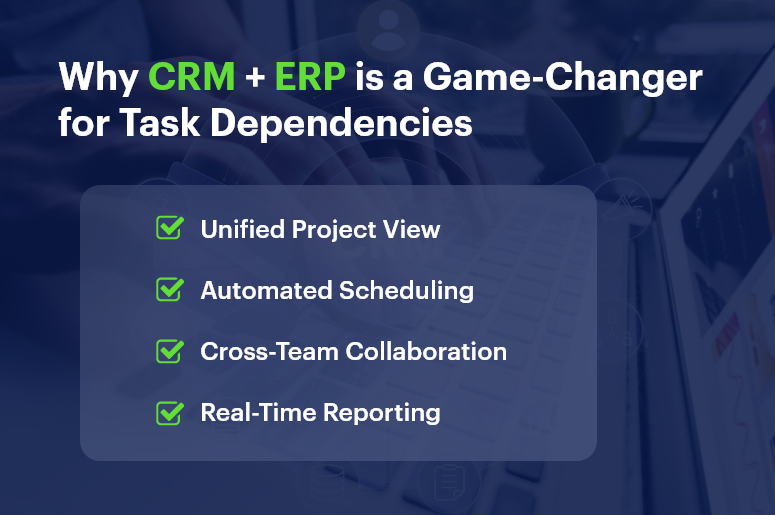
  • Unified View: View all task dependencies across departments — sales, HR, operations, and more.
  • Automated Scheduling: Adjust one task, and CRMLeaf auto-updates all related timelines.
  • Real-Time Collaboration: Teams stay in sync with shared visibility and tagged task ownership.
  • Built-in Reports: Instantly track which dependencies cause delays and how to fix them.

When task dependencies live inside your central system, your entire organization operates more smoothly.

Real-World Example: Construction Firm Wins with CRMLeaf

One construction project management company used CRMLeaf to connect procurement, design, and site execution tasks.

Results:

  • Reduced project delays by 23%
  • Improved cross-team visibility
  • Saved 18+ hours/week in task handoffs

By clearly mapping and automating task dependencies, they turned project chaos into predictable delivery.

Key Takeaways

Task dependencies are crucial to project success. Poor dependency management leads to bottlenecks and missed deadlines. Tools like CRMLeaf help define, automate, and track task sequencing. Gantt charts, critical paths, and real-time alerts make a big difference. Every industry — from software to construction — can benefit from better task dependency management.

Employee Self‑Service in Payroll: A Win for Transparency and Productivity

Every time someone emails HR for a pay stub or correction, you lose productivity, clarity, and trust. That’s why employee self‑service in payroll isn’t just a convenience — it’s a transformative approach to fostering transparency and efficiency.

Research confirms that self‑service portals reduce HR workload by up to 30%, speed responses, and boost employee empowerment

In this post, we’ll explain why employee self‑service in payroll matters, the benefits it delivers, and how CRMLeaf’s unified CRM + ERP platform makes it effortless to implement.

Employee Self‑Service in Payroll Win‑Win

Why Employee Self‑Service in Payroll Matters

When employees rely on HR for every pay slip or deduction question, HR teams become overloaded, and delays frustrate people. Empowering employees with a payroll self-service portal solves that—and unlocks broader organizational benefits.

1. Enhances Payroll Transparency

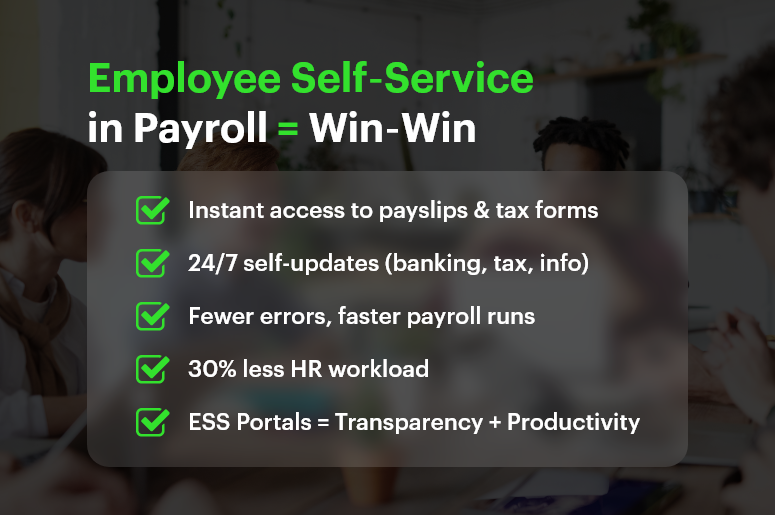
  • An ESS portal gives employees instant access to payslips, deductions, tax forms, and earnings history.
  • With on-demand visibility, trust rises because payroll becomes open and understandable

2. Boosts Productivity & Reduces HR Workload

  • Empowering employees to self-serve reduces routine HR queries by nearly one-third.
  • This frees HR teams for strategic initiatives instead of repetitive admin

3. Improves Payroll Accuracy

  • When employees enter their details — banking info, tax election, personal data — errors drop significantly.
  • Built-in validation helps correct discrepancies before payroll is finalized

Who Benefits Most? Industries That Gain from ESS in Payroll

Employee self‑service in payroll delivers ROI across sectors:

  • Retail & Hospitality: High-volume, hourly staff with frequent deductions rely on immediate pay transparency.
  • Manufacturing & Logistics: Rotating shift workers need real-time payroll visibility to confirm hours across sites.
  • Professional Services & Startups: Tight payroll schedules, project-based compensation, and fast-changing headcounts benefit from self-service accessibility.

In all cases, ESS leads to fewer errors, happier teams, and more focused HR departments.

Best Practices & Actionable Tips for ESS in Payroll

Effective deployment of employee self‑service in payroll requires a best-in-class strategy. Here’s how to plan implementation — especially when integrated with CRMLeaf’s CRM + ERP system.

1. Implement a Unified ESS Portal

  • Use a single platform that integrates payroll, HR, and finance.
  • That way, changes in one module (like leave or benefits) reflect across the system immediately.

2. Offer Mobile & 24/7 Access

  • Employees should be able to view pay details, request updates, and download forms anytime.
  • Mobile-compatible portals meet modern expectations perfectly.

3. Enable Self-Updates with Automatic Validation

  • Let staff update direct deposit details, withholding info, or emergency contacts themselves.
  • Use validation rules to prevent incorrect entries and conflicts before payroll processing.

4. Cut HR Tickets by Providing Transparent Information

  • When employees can self-access payslips and tax forms, HR inquiries reduce drastically.
  • This minimizes repetitive texting and email chains for routine questions.

5. Integrate ESS with Leave & Benefits Modules

  • Link ESS to leave balance, PTO requests, and benefits elections to reduce cross-team misalignment.
  • Every update feeds into payroll automatically without manual adjustments.

6. Provide Pre-Payroll Error Alerts

  • Use alerts to flag missing data, incomplete profiles, or mismatched information before final payroll runs.
  • This proactive approach improves data quality and lowers downstream corrections.

7. Empower Employees & Improve Engagement

  • Giving staff control over their payroll data drives accountability and morale.
  • Studies show empowered employees report higher satisfaction and retention.

8. Use Secure, Role‑Based Access

  • Provide multi-factor authentication and restrict visibility so employees only see their data.
  • Role-based permissions keep HR and finance functions secure and audit-ready.

Customer Success /Case Study

For example, BrightWorks Co., a mid-sized manufacturing company with 300 employees, implemented employee self‑service in payroll using CRMLeaf’s CRM + ERP platform. They rolled out a mobile ESS portal allowing staff to view payslips, update banking and tax info, request PTO, and submit unclaimed hours.

  • HR queries dropped by 35% within two months
  • Payroll error rate fell by 60% due to pre-payroll validation
  • Employee satisfaction increased by 20%, thanks to transparency and autonomy

By empowering employees and streamlining admin, BrightWorks transformed payroll from a headache into a productivity driver.

Key Takeaways & Closing

Here’s why employee self‑service in payroll is a win-win for businesses:

  • Transparency: Staff can access their payroll data instantly, reducing confusion and enhancing trust.
  • Productivity: HR teams spend less time on routine tickets, freeing them for strategic work.
  • Accuracy: Self-entry and validation reduce errors before payroll is processed.

With CRMLeaf’s integrated CRM + ERP platform, ESS becomes more than a feature — it becomes a backbone of data integrity, employee engagement, and operational efficiency. This synergy helps businesses scale faster, operate more transparently, and support employees better — without increasing HR effort.

Combining CRM and Project Management: The Best of Both Worlds

Tired of juggling CRM and project management tools? You’re not alone — and it’s draining your team’s productivity. According to Forrester, businesses lose 20-30% of revenue due to operational inefficiencies. And the root cause? Siloed tools that don’t talk to each other.

Your sales team closes deals in one system. Then your delivery team starts the project in another. The result? Miscommunication, duplicated data, missed deadlines — and frustrated clients.

Let’s change that.

This blog breaks down why combining CRM and project management is no longer optional. It’s essential. And how CRMLeaf’s CRM + ERP platform helps you bring both worlds together — effortlessly.

CRM Project Management Total Business Sync

Why CRM and Project Management Belong Together

As your business scales, disconnected systems slow you down. Integrating CRM and project management ensures smooth transitions, better customer experience, and improved performance across departments.

1. Say Goodbye to Data Silos

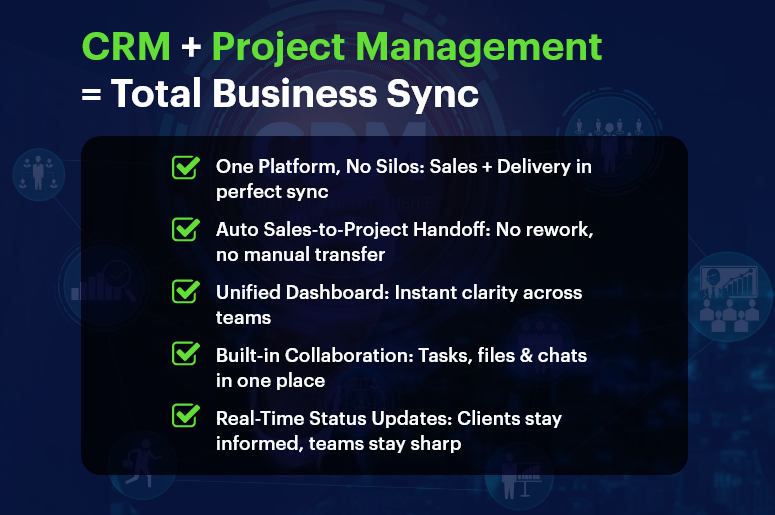
No more hunting down updates in spreadsheets or chasing team members for info. A unified platform keeps customer data and project details in one place — accessible to everyone.

2. Streamlined Sales-to-Delivery Handoff

Once the deal is closed, the project starts automatically. All client data, scope, and notes flow seamlessly from sales to operations — with no manual re-entry.

3. Boosted Customer Experience

Customers expect smooth, consistent service. A unified CRM and PM tool keeps your team aligned, so clients get timely updates and exceptional delivery.

4. One Dashboard for Everything

Sales metrics. Project timelines. Resource allocation. All in one place. Gain insights quickly, plan accurately, and make decisions faster.

5. Real Collaboration Across Teams

Sales, support, operations, and marketing all work in one system. Shared notes, tasks, files, and timelines keep everyone in sync — from lead to delivery.

Who Benefits Most?

Industries thriving with CRM and project management integration include:

  • SaaS companies
  • Consulting firms
  • Construction and real estate teams
  • Professional services
  • Marketing and creative agencies
  • Manufacturing businesses

Best Practices for Combining CRM and Project Management

Want to make integration truly effective? Don’t just install tools. Build processes. Here’s how:

1. Define the Full Customer Journey

Map every touchpoint — from first contact to post-project follow-up. This creates clarity across teams and improves your customer lifecycle management.

2. Standardize Workflows

Automate recurring actions. When a deal closes, your platform can auto-create project plans, assign tasks, and notify the right people instantly.

3. Control Access Smartly

Not everyone needs everything. Use role-based permissions to protect sensitive CRM data and streamline user experience.

4. Use Unified Dashboards

Combine sales KPIs (like conversion rate) with project KPIs (like time-to-delivery) for a complete view of performance.

5. Automate Status Updates

Keep teams and clients in the loop. Trigger alerts for milestones, overdue tasks, and new assignments automatically.

6. Centralize All Communication

Ditch the email chaos. Store project briefs, files, conversations, and customer feedback in one place.

7. Track Time and Budget Together

Sync time tracking and cost estimation with CRM data. That means accurate invoices, tight scopes, and better profitability.

8. Prioritize Simplicity

Tools don’t help if no one uses them. Pick a platform like CRMLeaf that’s intuitive, fast to learn, and built for real business use.

Customer Success Snapshot

  • Company: BrightEdge Creative
  • Industry: Digital Marketing Agency

Before CRMLeaf:

  • Used 3+ tools: a CRM, spreadsheets, and Slack
  • Projects delayed due to miscommunication
  • Clients were frustrated by inconsistent updates

After CRMLeaf:

  • Leads now convert to projects automatically
  • Teams collaborate in one workspace
  • Delivery time improved by 40%
  • Client satisfaction grew by 25%

CRMLeaf helped us turn chaos into coordination. We no longer worry about things slipping through the cracks.” — Operations Lead, BrightEdge Creative

Key Takeaways

Combining CRM and project management gives your team a competitive edge. Instead of juggling tools, you align departments, speed up delivery, and improve client outcomes.

With CRMLeaf’s CRM + ERP platform, you get:

  • Seamless sales-to-project handoffs
  • Centralized collaboration and reporting
  • Real-time visibility across teams
  • Less admin work — and more results

Don’t settle for disconnected tools. Unite your workflows with a single, powerful platform.

Recruitment KPIs: What to Track & How Your CRM Can Help

Recruitment KPIs are no longer “nice-to-track” metrics — they’re business-critical. In today’s competitive hiring market, companies that fail to optimize recruitment performance risk losing top talent and wasting resources.

According to LinkedIn’s Global Recruiting Trends Report, 77% of talent leaders say their hiring decisions are increasingly driven by data. But here’s the catch — many HR teams still track metrics manually or in silos, leading to inconsistent results and poor visibility.

This blog will walk you through the most important Recruitment KPIs, how to track them effectively, and why integrating these metrics into a CRM + ERP system like CRMLeaf makes all the difference. Whether you’re hiring in retail, manufacturing, or tech, you’ll learn actionable strategies to sharpen your recruitment game.

Why Tracking Recruitment KPIs is Critical for Growing Businesses

Recruiting is no longer just about filling roles — it’s about building scalable, high-performing teams. And that requires data-driven decision-making. Here’s why every growing business should prioritize Recruitment KPIs:

Optimize Hiring Performance

Tracking key metrics gives you real-time insights into what’s working — and what’s not. Without this visibility, it’s hard to fix bottlenecks or repeat successful strategies.

Reduce Time & Cost Per Hire

When you monitor time-to-fill and cost-per-hire, you can streamline your process, avoid unnecessary expenses, and increase ROI on recruitment efforts.

Improve Candidate Quality

Metrics like quality of hire and candidate source effectiveness ensure you’re not just hiring faster — but smarter.

Align HR With Business Goals

KPIs create a shared language between HR, operations, and finance. They help you justify hiring budgets and demonstrate how recruitment impacts business performance.

Industry Scenarios

  • Retail: High seasonal turnover demands tight tracking of time-to-fill and offer acceptance rates.
  • Manufacturing: Cost-per-hire and training effectiveness are crucial for maintaining margins.
  • Tech: Fast-scaling startups need to monitor candidate pipeline velocity and source quality closely.

By centralizing these metrics in a CRM + ERP like CRMLeaf, businesses get a single source of truth that connects people, processes, and performance.

Essential Recruitment KPIs to Track (And How Your CRM Helps)

Let’s dive into the Recruitment KPIs that every HR team should monitor — and how a CRM-integrated recruitment system makes this easier, faster, and smarter.

1. Time to Hire

Tracks the number of days between first contact with a candidate and their acceptance of the offer. A long time-to-hire could mean bottlenecks in interviews or approvals.

CRMLeaf’s automation features send reminders, schedule interviews, and move candidates through the pipeline — cutting time-to-hire significantly.

2. Cost per Hire

Calculates the total recruitment cost (job ads, agency fees, time spent, onboarding) divided by the number of hires. This helps you allocate budget wisely.

CRMLeaf’s integrated finance module links hiring activity with real costs, so you get real-time cost-per-hire insights.

3. Quality of Hire

Measures how well new hires perform, stay, and grow within the company. Often tracked via performance reviews, retention, and manager feedback.

CRMLeaf can pull post-hire performance data directly into your hiring dashboards, connecting recruitment to long-term value.

4. Candidate Source Effectiveness

Identifies which channels (job boards, social media, referrals) deliver the best candidates in terms of quality, cost, and speed.

With CRMLeaf, source tracking is automatic. You can compare platforms, campaigns, and recruiters — all from one dashboard.

5. Offer Acceptance Rate

Percentage of job offers accepted versus total offers made. A low rate may signal poor candidate experience or uncompetitive compensation.

CRMLeaf tracks offer stages, feedback, and status changes, allowing HR teams to analyze drop-offs and improve offer conversion.

6. Application Completion Rate

Measures how many candidates complete your job application process. A low rate means friction — perhaps the form is too long or unclear.

Use CRMLeaf to run A/B tests on forms, simplify workflows, and monitor which roles or campaigns have high abandonment.

7. Diversity Metrics

Track the representation of different demographic groups in your hiring pipeline. This helps ensure fair and inclusive hiring practices.

CRMLeaf enables anonymous data collection and diversity reporting that aligns with compliance and ESG goals.

8. Hiring Manager Satisfaction

Feedback from managers on the quality of candidates and the recruitment process. A low score signals misalignment or poor internal communication.

Built-in feedback surveys in CRMLeaf keep hiring managers engaged and help HR teams fine-tune their efforts.

Best Practices to Improve Recruitment KPIs with CRM + ERP

Improving Recruitment KPIs isn’t just about tracking more data — it’s about tracking the right data and acting on it. Here’s how to optimize your hiring with CRMLeaf’s CRM + ERP platform:

Automate Manual Steps

  • Eliminate repetitive tasks like resume parsing, email follow-ups, and calendar scheduling.
  • CRMLeaf’s automation reduces admin work, freeing recruiters to focus on human connections.

Standardize Candidate Workflows

  • Use predefined pipelines for different roles or departments to ensure consistency and reduce time-to-hire.
  • Create workflows in CRMLeaf that match your hiring stages — from screening to onboarding.

Integrate HR with Finance & Operations

  • Align recruitment KPIs with budgets, team planning, and capacity needs.
  • CRMLeaf gives a unified view of workforce demand, job requisitions, and financial impact.

Use Dashboards for Real-Time Visibility

  • Set up visual dashboards that track all key hiring metrics in real time.
  • CRMLeaf’s customizable reporting lets HR and leadership monitor performance at a glance.

Benchmark & Improve Continuously

  • Track trends over time and compare against industry benchmarks.
  • Use CRMLeaf to spot declining metrics early and act before it impacts team performance.

Customer Success Story

For example, TalentCraft Solutions, a fast-growing IT services company, used CRMLeaf’s Recruitment Module to reduce their average time-to-hire from 28 days to 14 days, while improving their offer acceptance rate by 22%. Here’s how:

  • Implemented automated email sequences for faster communication.
  • Used dashboard insights to prioritize job boards with higher conversion.
  • Connected candidate performance reviews to hiring reports for ongoing learning.

This transformation helped them scale without burning out their HR team — and saved thousands in hiring costs.

Key Takeaways

Tracking Recruitment KPIs isn’t optional — it’s essential. With the right data, teams can make better decisions, reduce hiring friction, and build stronger teams. A CRM + ERP platform like CRMLeaf doesn’t just track metrics — it connects recruitment to every corner of your business, from HR and finance to operations and beyond.

Focus on metrics like time-to-hire, cost-per-hire, and source effectiveness. Automate what you can, standardize workflows, and always keep the candidate experience at the center.