How to Keep Projects on Budget with Real-Time CRM Data

Every business wants their projects to finish on time and within budget. But according to PMI’s 2023 Pulse of the Profession report, nearly 43% of projects run over budget. That’s not just a number — it’s a serious risk. Why does this happen? Because many teams still rely on outdated tools and fragmented systems. Without real-time CRM data, they miss red flags and end up reacting too late.

In this post, you’ll discover how real-time CRM data can transform your project budget tracking. We’ll explore real-world tactics, tools, and tips to help project, finance, and operations teams stay on course — without financial surprises.

Why Budget Control Is a Must

Budget overruns don’t just eat profits — they break client trust and delay growth. For small and mid-sized businesses, every cost counts. That’s why cost control isn’t optional — it’s mission-critical.

Real-time CRM data helps you:

  • Get accurate visibility of costs and timelines
  • Make faster decisions when scope or resources shift
  • Forecast smarter using historical trends and real-time numbers

Using CRM + ERP platforms like CRMLeaf gives you a unified view—no more spreadsheet juggling or system silos.

Industries That Benefit Most

Real-time CRM data isn’t just useful — it’s a competitive edge across industries.

  • Construction: Track materials, labor, and subcontractor costs live
  • Marketing Agencies: Adjust budgets on the fly with client feedback
  • IT & Software: Align sprints and contracts with resource usage

No matter your sector, project finances improve when you go real-time.
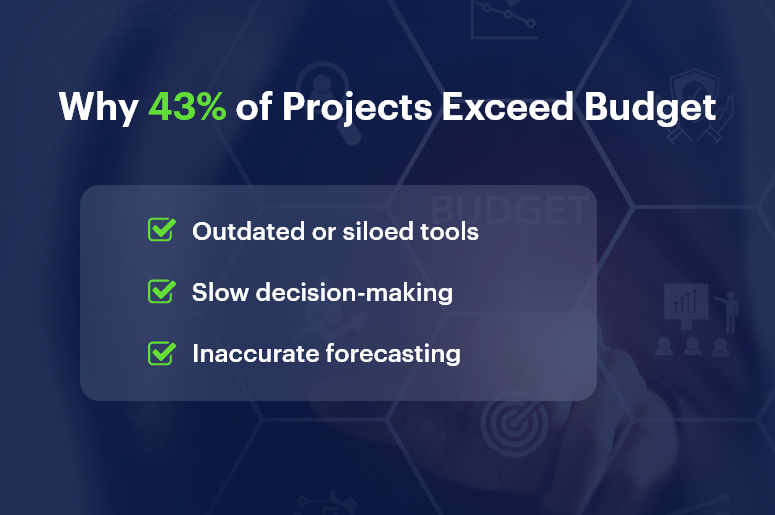
Why 43 of Projects Exceed Budget

10 Best Practices to Stay on Budget with Real-Time CRM Data

1. Track Time & Expenses in Real Time

Capture every hour and cost instantly. With CRMLeaf, teams log time directly into the system — eliminating delays and billing errors.

2. Set Smart Budget Threshold Alerts

Use budget alerts to notify managers as spending approaches set limits. This way, you prevent overspending before it becomes a problem.

3. Monitor Budget KPIs with Dashboards

Visualize key metrics like burn rate, cost-to-date, and profit margin. Custom CRM dashboards give your team live access to project financials.

4. Integrate Sales & Project Data

When your CRM + ERP systems talk to each other, handovers are seamless. No surprises. No misaligned budgets. Just clarity.

5. Run What-If Budget Scenarios

Use CRMLeaf to simulate different project paths. What if a delay hits? What if resource costs spike? See the financial impact before it happens.

6. Align Milestones with Cost Checkpoints

Attach budget reviews to project milestones. This builds accountability and ensures you adjust based on facts — not assumptions.

7. Simplify Change Order Management

Scope changes? No problem. With real-time CRM data, every update reflects immediately in your budget tracking.

8. Standardize Budget Templates

Use CRMLeaf’s templates to kickstart planning. Avoid missed line items and start every project with a realistic budget baseline.

9. Automate Invoicing from Project Logs

Turn time entries and approved tasks into invoices — automatically. This speeds up billing and reduces revenue leakage.

10. Share a Unified View Across Teams

Finance, sales, and project managers all see the same live data. That means fewer miscommunications and tighter cost control.

Real Results: CRM Data in Action

BrightEdge Solutions, a mid-sized IT services firm, used CRMLeaf to track 10+ projects simultaneously — and stayed within 98% of budget.

Here’s what worked:

  • Real-time time logging and budget alerts
  • Dashboards to monitor burn rates daily
  • Proactive changes to avoid $20,000+ in cost overruns

The result? On-budget delivery, happier clients, and faster invoicing cycles.

Takeaways: Use Real-Time CRM Data to Stay in Control

Keeping projects on budget is no longer about guesswork — it’s about using real-time CRM data to stay one step ahead.

With CRMLeaf, you can:

  • Get instant visibility into your project financials
  • Connect teams with shared data and live dashboards
  • Stop overspending before it starts
  • Deliver projects faster and with confidence

In short, CRMLeaf helps you stay lean, agile, and profitable. It’s time to stop flying blind — and start using real-time CRM data to drive every decision.

Combining CRM and Project Management: The Best of Both Worlds

Tired of juggling CRM and project management tools? You’re not alone — and it’s draining your team’s productivity. According to Forrester, businesses lose 20-30% of revenue due to operational inefficiencies. And the root cause? Siloed tools that don’t talk to each other.

Your sales team closes deals in one system. Then your delivery team starts the project in another. The result? Miscommunication, duplicated data, missed deadlines — and frustrated clients.

Let’s change that.

This blog breaks down why combining CRM and project management is no longer optional. It’s essential. And how CRMLeaf’s CRM + ERP platform helps you bring both worlds together — effortlessly.

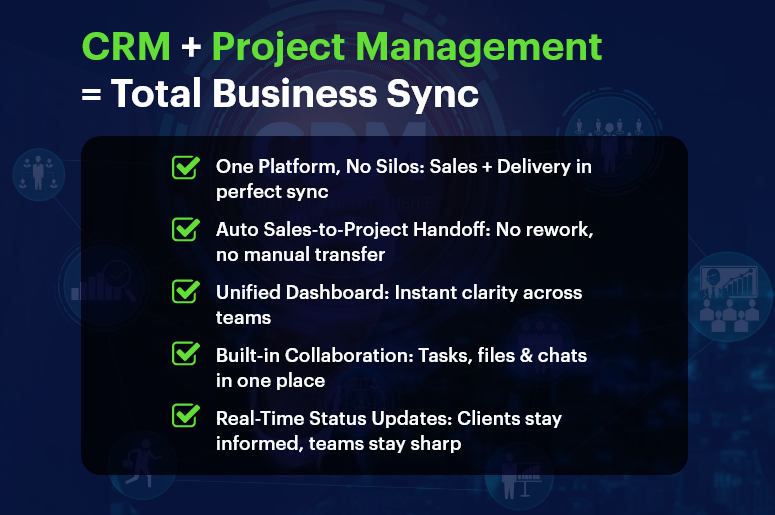
CRM Project Management Total Business Sync

Why CRM and Project Management Belong Together

As your business scales, disconnected systems slow you down. Integrating CRM and project management ensures smooth transitions, better customer experience, and improved performance across departments.

1. Say Goodbye to Data Silos

No more hunting down updates in spreadsheets or chasing team members for info. A unified platform keeps customer data and project details in one place — accessible to everyone.

2. Streamlined Sales-to-Delivery Handoff

Once the deal is closed, the project starts automatically. All client data, scope, and notes flow seamlessly from sales to operations — with no manual re-entry.

3. Boosted Customer Experience

Customers expect smooth, consistent service. A unified CRM and PM tool keeps your team aligned, so clients get timely updates and exceptional delivery.

4. One Dashboard for Everything

Sales metrics. Project timelines. Resource allocation. All in one place. Gain insights quickly, plan accurately, and make decisions faster.

5. Real Collaboration Across Teams

Sales, support, operations, and marketing all work in one system. Shared notes, tasks, files, and timelines keep everyone in sync — from lead to delivery.

Who Benefits Most?

Industries thriving with CRM and project management integration include:

  • SaaS companies
  • Consulting firms
  • Construction and real estate teams
  • Professional services
  • Marketing and creative agencies
  • Manufacturing businesses

Best Practices for Combining CRM and Project Management

Want to make integration truly effective? Don’t just install tools. Build processes. Here’s how:

1. Define the Full Customer Journey

Map every touchpoint — from first contact to post-project follow-up. This creates clarity across teams and improves your customer lifecycle management.

2. Standardize Workflows

Automate recurring actions. When a deal closes, your platform can auto-create project plans, assign tasks, and notify the right people instantly.

3. Control Access Smartly

Not everyone needs everything. Use role-based permissions to protect sensitive CRM data and streamline user experience.

4. Use Unified Dashboards

Combine sales KPIs (like conversion rate) with project KPIs (like time-to-delivery) for a complete view of performance.

5. Automate Status Updates

Keep teams and clients in the loop. Trigger alerts for milestones, overdue tasks, and new assignments automatically.

6. Centralize All Communication

Ditch the email chaos. Store project briefs, files, conversations, and customer feedback in one place.

7. Track Time and Budget Together

Sync time tracking and cost estimation with CRM data. That means accurate invoices, tight scopes, and better profitability.

8. Prioritize Simplicity

Tools don’t help if no one uses them. Pick a platform like CRMLeaf that’s intuitive, fast to learn, and built for real business use.

Customer Success Snapshot

  • Company: BrightEdge Creative
  • Industry: Digital Marketing Agency

Before CRMLeaf:

  • Used 3+ tools: a CRM, spreadsheets, and Slack
  • Projects delayed due to miscommunication
  • Clients were frustrated by inconsistent updates

After CRMLeaf:

  • Leads now convert to projects automatically
  • Teams collaborate in one workspace
  • Delivery time improved by 40%
  • Client satisfaction grew by 25%

CRMLeaf helped us turn chaos into coordination. We no longer worry about things slipping through the cracks.” — Operations Lead, BrightEdge Creative

Key Takeaways

Combining CRM and project management gives your team a competitive edge. Instead of juggling tools, you align departments, speed up delivery, and improve client outcomes.

With CRMLeaf’s CRM + ERP platform, you get:

  • Seamless sales-to-project handoffs
  • Centralized collaboration and reporting
  • Real-time visibility across teams
  • Less admin work — and more results

Don’t settle for disconnected tools. Unite your workflows with a single, powerful platform.

Case Study: From Excel Sheets to Seamless CRM Operations

Still managing your customer data and operations in Excel sheets? You’re not alone. But in today’s fast-paced business world, that choice is costing more than you think. In fact, a study by Ventana Research found that 44% of businesses report spreadsheet errors monthly, and most don’t even realize it until it’s too late. As your business grows, you need accuracy, automation, and visibility — not clunky files that break when shared. That’s where seamless CRM operations come in. This blog will show you:

  • Why Excel fails growing businesses
  • How a CRM + ERP system transforms day-to-day operations
  • Step-by-step guidance to switch with confidence
  • A real-world case study on how CRMLeaf made it happen

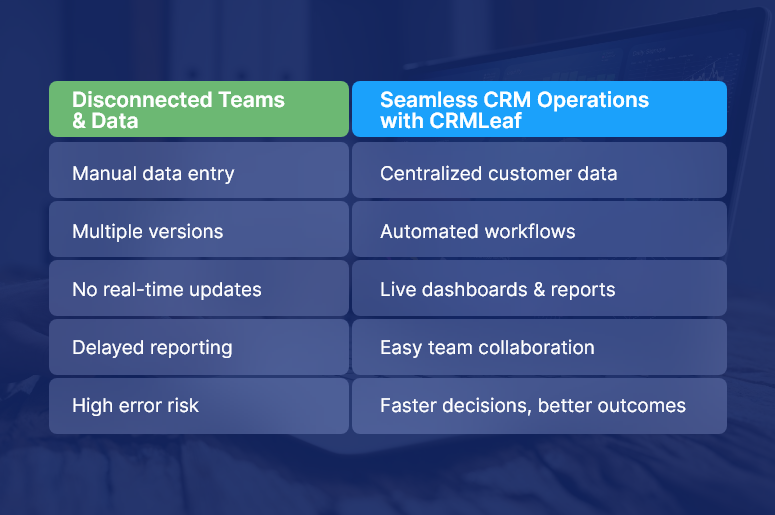
Disconnected Teams & Data

Why Businesses Must Ditch Excel for Seamless CRM Operations

Let’s get to the heart of the matter — why Excel isn’t enough anymore.

Here’s why growing teams in sales, HR, finance, and operations must evolve beyond spreadsheets:

1. Manual work eats up your time

When you’re manually entering leads, updating deal statuses, or building reports in Excel, it consumes hours weekly. These repetitive tasks lower productivity and create room for error.

2. Data is disconnected and siloed

Sales, marketing, HR, and finance all use different Excel files. That means zero real-time collaboration and no single source of truth — a big issue when making data-driven decisions.

3. Visibility and forecasting are limited

Excel lacks live dashboards. If you want insights into deal pipelines, customer trends, or team workloads, you’re stuck refreshing pivot tables and combining CSVs.

4. Version control is a nightmare

Who owns the latest file? Is it in email, Drive, or on someone’s desktop? Without real-time sync and permissions, collaboration becomes chaotic.

5. Security and compliance are risky

Excel sheets can be copied, deleted, or emailed without traceability. That’s a problem if you handle sensitive customer, financial, or employee data.

Best Practices: How to Transition to Seamless CRM Operations

Making the shift from Excel to seamless CRM operations doesn’t have to be complex. With the right platform (like CRMLeaf) and approach, you’ll streamline your processes without losing control.

Here’s how to do it step by step:

1. Conduct a Data Audit

List all your current Excel workflows — customer lists, sales pipelines, HR onboarding, task tracking, etc.

✅ Identify what’s outdated, duplicated, or misaligned. This sets the foundation for a clean transition.

2. Set Clear Migration Goals

Ask: Why are we switching to a CRM?

✅ It might be to reduce manual tasks, get real-time reports, or automate customer touchpoints. Define KPIs so you can measure success.

3. Choose the Right CRM + ERP Tool

Not all tools are created equal. Choose a platform like CRMLeaf that combines CRM with ERP features like invoicing, HR, project tracking, and analytics.

✅ This ensures your operations run on a single, connected system.

4. Involve Stakeholders Across Teams

Don’t go it alone. Bring in department heads early to understand their needs.

✅ This promotes user adoption and prevents mismatches during rollout.

5. Clean and Import Your Excel Data

Use CRMLeaf’s Excel import wizard to map your columns, validate entries, and upload clean data in minutes.

✅ Fix errors and duplicates before they become a problem inside the system.

6. Automate Workflows Immediately

Start small — like auto-assigning leads, triggering follow-ups, or setting task reminders.

✅ This creates quick wins and shows your team how the CRM saves them time.

7. Customize Dashboards for Each Role

Create dashboards that highlight what matters to each team: sales forecasts, HR onboarding status, or financial KPIs.

✅ Everyone gets clarity without digging through tabs.

8. Track Adoption and Keep Training Ongoing

Monitor login activity and usage reports to spot gaps.

✅ Offer refresher sessions and keep collecting feedback to fine-tune usage.

Customer Success Snapshot: From Files to Flow

For example, TechNova Solutions, a mid-sized IT service provider, was managing leads, customer tickets, and project updates across 12 Excel files and 3 disconnected apps.

Here’s how CRMLeaf helped:

  • Replaced spreadsheets with a centralized CRM dashboard
  • Automated follow-ups, invoicing, and ticket escalations
  • Integrated sales, HR, and project data into one real-time system

The results:

  • 50% faster response times to customer queries
  • Saved 20+ hours/week in admin work
  • Improved cash flow with faster billing cycles

CRMLeaf made it easy. We moved from spreadsheet chaos to seamless CRM operations in under 30 days.” — Operations Director, TechNova Solutions

Key Takeaways: You’re One Step Away from Operational Clarity

Let’s recap what we covered:

  • Excel sheets break down at scale — they’re prone to error, disconnected, and lack automation.
  • Seamless CRM operations bring control, visibility, and automation across your business.
  • CRMLeaf’s CRM + ERP platform simplifies the transition and keeps all your departments in sync.

By following the step-by-step guide above, you can confidently migrate without disruption.

How Real-Time Inventory Visibility Drives Sales

Stockouts, overstocking, and delayed fulfillment are killing your margins and disappointing customers. But there’s a better way. Today, real-time inventory visibility is no longer a nice-to-have; it’s a non-negotiable advantage for businesses that want to grow, stay competitive, and drive sales consistently.

According to a McKinsey report, companies that implement real-time inventory tracking can reduce inventory costs by up to 10% and improve service levels by over 30%.

In this blog, we’ll break down how real-time inventory visibility can be your secret sales engine. You’ll learn:

  • Why it matters more now than ever
  • Practical tips for leveraging inventory visibility
  • How a modern CRM + ERP platform like CRMLeaf makes it easy

Let’s dive in.

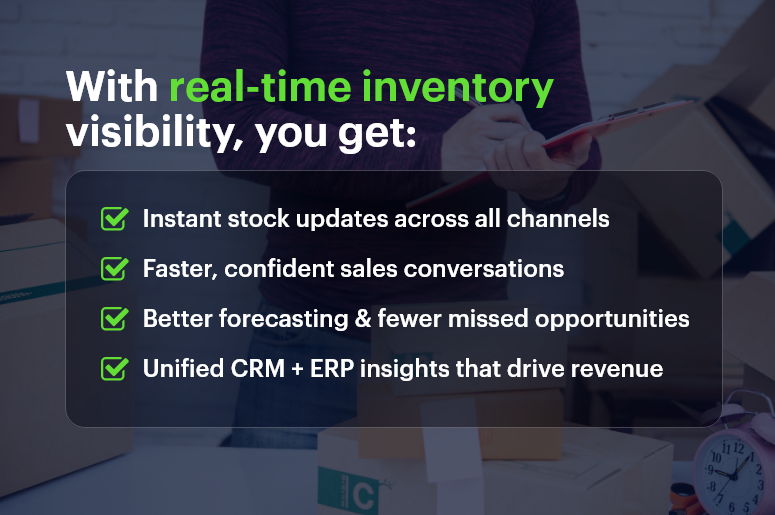
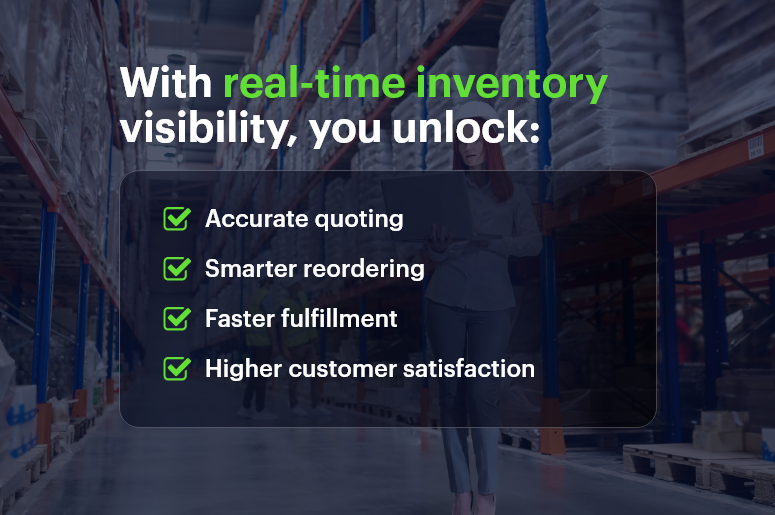
With real-time inventory visibility you get

Why Real-Time Inventory Visibility Is a Business Essential

In today’s fast-paced, omnichannel world, customers expect up-to-the-minute accuracy on product availability. Whether you’re in retail, manufacturing, or distribution, real-time inventory visibility determines whether you make the sale or lose the customer.

Here’s why it matters:

1. Improved Customer Experience

Customers expect products to be available when they want them. With real-time inventory visibility, you avoid disappointing customers with stockouts, backorders, or delayed shipping updates.

2. Increased Sales Conversion

When your sales team knows exactly what’s in stock, they can close deals faster and more confidently. No more checking with the warehouse or making follow-up calls.

3. Reduced Lost Sales and Overstocking

Real-time inventory tracking helps avoid costly misjudgments. Overstocking leads to wasted capital and storage issues, while understocking leads to lost revenue.

4. Better Demand Forecasting

Access to real-time inventory data allows more accurate forecasting and planning, ensuring your procurement aligns with actual sales trends.

5. Streamlined Multi-Channel Selling

If you sell across marketplaces, a centralized inventory view ensures product availability is accurate across all channels.

Best Practices: How to Use Real-Time Inventory Visibility to Drive Sales

So how can you turn visibility into a sales weapon? Start with these proven strategies:

1. Integrate Inventory with CRM + ERP

A unified platform like CRMLeaf keeps your sales, warehouse, and finance teams in sync. As soon as inventory moves, everyone sees the update—no manual syncing required.

2. Automate Inventory Updates Across Channels

Use software that syncs inventory across your website, POS, and marketplaces in real time. This helps maintain customer trust and prevents overselling.

3. Set Reorder Points and Smart Alerts

Real-time alerts help you stay proactive. When inventory hits a predefined threshold, CRMLeaf can notify procurement to replenish, avoiding critical delays.

4. Provide Live Stock Info to Sales Teams

Empower your sales reps with instant inventory snapshots during customer calls. This reduces turnaround time and builds confidence during negotiations.

5. Monitor Fast-Moving SKUs Closely

Focus on your top-performing products. Set up dashboards in CRMLeaf to track fast movers and ensure they’re always in stock.

6. Use Dashboards for Executive Insights

Executives need visibility into inventory trends, not just transactions. Custom dashboards in CRMLeaf give a real-time view of inventory health, helping leaders make informed decisions.

7. Align Inventory With Promotions and Marketing

Before launching promotions, check your real-time stock levels. This ensures you can meet demand and capitalize fully on marketing campaigns.

Real-World Success Story

For example, FreshTrack Foods, a regional food distributor, used CRMLeaf’s real-time inventory visibility to reduce missed deliveries by 40%. Here’s how:

  • They integrated their warehouse and sales modules into a single system.
  • Set up live dashboards to track inventory across four warehouses.
  • Sales reps could promise accurate ETAs during client calls.

The result? 20% higher sales conversion, improved client retention, and fewer customer complaints.

Key Takeaways

Real-time inventory visibility is no longer optional for modern businesses. It’s the foundation for:

  • Higher sales conversions and faster deal cycles
  • Happier customers through accurate availability
  • Lower carrying costs and better forecasting
  • Cross-team alignment from sales to warehouse

Whether you’re in retail, manufacturing, wholesale, or D2C eCommerce, this capability helps you scale with confidence.

Connecting Inventory to Your Sales Pipeline: Why It Matters

In fast-paced industries, one of the most overlooked growth killers is disconnected inventory and sales processes. Imagine a sales team closing deals on products that are out of stock, or inventory managers overstocking items no one is selling. The result? Frustrated customers, missed revenue, and wasted capital. That’s exactly why connecting inventory to your sales pipeline matters more than ever. According to a recent Forrester report, companies that tightly align their sales and inventory processes see up to 25% faster revenue growth and 30% higher customer satisfaction.

In this blog, you’ll learn:

  • Why growing businesses can’t afford inventory/sales silos
  • How CRM + ERP platforms solve this disconnect
  • Actionable ways to improve your pipeline with integrated inventory visibility

Let’s dive in.

With CRMLeaf you get real-time insight into critical hiring metrics

Why Connecting Inventory to Your Sales Pipeline Matters for Business

Connecting inventory to your sales pipeline is no longer just “nice to have.” It’s a business necessity. When both systems work together, you get a full view of demand, supply, and fulfillment — in real time.

1. Sales Teams Need Real-Time Stock Visibility

Your sales reps are your front line. Without live inventory data, they’re selling blind.

  • With real-time visibility, sales can instantly check stock levels before committing to a quote.
  • This avoids overpromising, backorders, and unhappy customers.
  • It also helps reps push available products, improving conversion rates.

2. Inventory Teams Gain Demand Forecasting Insights

Inventory managers are often guessing what to reorder. But when they’re plugged into the sales funnel:

  • They can see what products are in demand before orders even close.
  • This allows for data-driven purchasing and better stock planning.
  • Over time, it reduces excess inventory and boosts cash flow.

3. CX Leaders Can Fulfill Faster and Smarter

When CRM and ERP are connected:

  • Order fulfillment teams can prioritize fast-moving deals.
  • Customers get what they want, faster — improving loyalty.
  • Businesses reduce costly rush orders and emergency shipping.

Best Practices to Connect Inventory and Sales Seamlessly

If you’re serious about improving efficiency, you need a game plan. Here’s how to align your inventory and sales pipeline with smart strategies and the right tools.

1. Use an Integrated CRM + ERP Platform

The days of juggling multiple disconnected tools are over.

  • An all-in-one CRM + ERP system like CRMLeaf centralizes data for inventory, sales, purchase, and finance.
  • This ensures that all teams are looking at the same, real-time information.
  • No more manual updates or switching tabs to sync data.

2. Automate Stock Visibility in the Sales Process

Stop making your sales team guess stock levels.

  • Set up live inventory availability directly in quotes, proposals, and sales dashboards.
  • Add auto-alerts for low-stock or high-demand products.
  • This makes your pipeline proactive instead of reactive.

3. Sync Sales Forecasts with Inventory Planning

Forecasting isn’t just for finance.

  • Feed sales pipeline data into your inventory module to improve forecasting accuracy.
  • Run scenario planning to simulate different demand curves.
  • Let inventory managers plan for spikes, promotions, or seasonal fluctuations.

4. Define Business Rules for Order Commitment

What happens when a product has only 10 units left and two reps are closing at the same time?

  • Set smart allocation rules that reserve stock based on deal priority.
  • CRMLeaf allows custom rules for deal stages, priority customers, or territories.
  • This eliminates internal conflict and improves customer experience.

5. Create Real-Time Inventory Dashboards for Sales Teams

Don’t just show stock levels in ERP — bring them to the people who need it most.

  • Use custom dashboards in CRMLeaf that display inventory by location, product line, and fulfillment speed.
  • Let sales teams filter based on region, customer type, or delivery window.
  • These dashboards empower reps to act faster and sell smarter.

Case Study: How One Retailer Aligned Sales & Inventory for 40% Faster Fulfillment

For example, BrightCart, a consumer electronics retailer, used CRMLeaf’s CRM + ERP integration to streamline operations across their 12 warehouse locations.

  • They connected their inventory system with their sales pipeline, allowing reps to quote only in-stock items.
  • Their order team prioritized shipments based on live deal status, cutting fulfillment time by 40%.
  • Stockouts dropped by 35%, and customer satisfaction scores went up by 20% within 6 months.

This transformation happened not with more staff, but with better tools and data visibility.

Key Takeaways: What Happens When You Connect Inventory to Sales

To recap:

  • Connecting inventory to your sales pipeline is crucial for accurate forecasting, efficient selling, and faster fulfillment.
  • A unified CRM + ERP platform like CRMLeaf eliminates the silos that slow you down.
  • Real-time data empowers your sales, inventory, and fulfillment teams to act with confidence.
  • You’ll reduce stockouts, improve cash flow, and deliver better customer experiences.

Recruitment KPIs: What to Track & How Your CRM Can Help

Recruitment KPIs are no longer “nice-to-track” metrics — they’re business-critical. In today’s competitive hiring market, companies that fail to optimize recruitment performance risk losing top talent and wasting resources.

According to LinkedIn’s Global Recruiting Trends Report, 77% of talent leaders say their hiring decisions are increasingly driven by data. But here’s the catch — many HR teams still track metrics manually or in silos, leading to inconsistent results and poor visibility.

This blog will walk you through the most important Recruitment KPIs, how to track them effectively, and why integrating these metrics into a CRM + ERP system like CRMLeaf makes all the difference. Whether you’re hiring in retail, manufacturing, or tech, you’ll learn actionable strategies to sharpen your recruitment game.

Why Tracking Recruitment KPIs is Critical for Growing Businesses

Recruiting is no longer just about filling roles — it’s about building scalable, high-performing teams. And that requires data-driven decision-making. Here’s why every growing business should prioritize Recruitment KPIs:

Optimize Hiring Performance

Tracking key metrics gives you real-time insights into what’s working — and what’s not. Without this visibility, it’s hard to fix bottlenecks or repeat successful strategies.

Reduce Time & Cost Per Hire

When you monitor time-to-fill and cost-per-hire, you can streamline your process, avoid unnecessary expenses, and increase ROI on recruitment efforts.

Improve Candidate Quality

Metrics like quality of hire and candidate source effectiveness ensure you’re not just hiring faster — but smarter.

Align HR With Business Goals

KPIs create a shared language between HR, operations, and finance. They help you justify hiring budgets and demonstrate how recruitment impacts business performance.

Industry Scenarios

  • Retail: High seasonal turnover demands tight tracking of time-to-fill and offer acceptance rates.
  • Manufacturing: Cost-per-hire and training effectiveness are crucial for maintaining margins.
  • Tech: Fast-scaling startups need to monitor candidate pipeline velocity and source quality closely.

By centralizing these metrics in a CRM + ERP like CRMLeaf, businesses get a single source of truth that connects people, processes, and performance.

Essential Recruitment KPIs to Track (And How Your CRM Helps)

Let’s dive into the Recruitment KPIs that every HR team should monitor — and how a CRM-integrated recruitment system makes this easier, faster, and smarter.

1. Time to Hire

Tracks the number of days between first contact with a candidate and their acceptance of the offer. A long time-to-hire could mean bottlenecks in interviews or approvals.

CRMLeaf’s automation features send reminders, schedule interviews, and move candidates through the pipeline — cutting time-to-hire significantly.

2. Cost per Hire

Calculates the total recruitment cost (job ads, agency fees, time spent, onboarding) divided by the number of hires. This helps you allocate budget wisely.

CRMLeaf’s integrated finance module links hiring activity with real costs, so you get real-time cost-per-hire insights.

3. Quality of Hire

Measures how well new hires perform, stay, and grow within the company. Often tracked via performance reviews, retention, and manager feedback.

CRMLeaf can pull post-hire performance data directly into your hiring dashboards, connecting recruitment to long-term value.

4. Candidate Source Effectiveness

Identifies which channels (job boards, social media, referrals) deliver the best candidates in terms of quality, cost, and speed.

With CRMLeaf, source tracking is automatic. You can compare platforms, campaigns, and recruiters — all from one dashboard.

5. Offer Acceptance Rate

Percentage of job offers accepted versus total offers made. A low rate may signal poor candidate experience or uncompetitive compensation.

CRMLeaf tracks offer stages, feedback, and status changes, allowing HR teams to analyze drop-offs and improve offer conversion.

6. Application Completion Rate

Measures how many candidates complete your job application process. A low rate means friction — perhaps the form is too long or unclear.

Use CRMLeaf to run A/B tests on forms, simplify workflows, and monitor which roles or campaigns have high abandonment.

7. Diversity Metrics

Track the representation of different demographic groups in your hiring pipeline. This helps ensure fair and inclusive hiring practices.

CRMLeaf enables anonymous data collection and diversity reporting that aligns with compliance and ESG goals.

8. Hiring Manager Satisfaction

Feedback from managers on the quality of candidates and the recruitment process. A low score signals misalignment or poor internal communication.

Built-in feedback surveys in CRMLeaf keep hiring managers engaged and help HR teams fine-tune their efforts.

Best Practices to Improve Recruitment KPIs with CRM + ERP

Improving Recruitment KPIs isn’t just about tracking more data — it’s about tracking the right data and acting on it. Here’s how to optimize your hiring with CRMLeaf’s CRM + ERP platform:

Automate Manual Steps

  • Eliminate repetitive tasks like resume parsing, email follow-ups, and calendar scheduling.
  • CRMLeaf’s automation reduces admin work, freeing recruiters to focus on human connections.

Standardize Candidate Workflows

  • Use predefined pipelines for different roles or departments to ensure consistency and reduce time-to-hire.
  • Create workflows in CRMLeaf that match your hiring stages — from screening to onboarding.

Integrate HR with Finance & Operations

  • Align recruitment KPIs with budgets, team planning, and capacity needs.
  • CRMLeaf gives a unified view of workforce demand, job requisitions, and financial impact.

Use Dashboards for Real-Time Visibility

  • Set up visual dashboards that track all key hiring metrics in real time.
  • CRMLeaf’s customizable reporting lets HR and leadership monitor performance at a glance.

Benchmark & Improve Continuously

  • Track trends over time and compare against industry benchmarks.
  • Use CRMLeaf to spot declining metrics early and act before it impacts team performance.

Customer Success Story

For example, TalentCraft Solutions, a fast-growing IT services company, used CRMLeaf’s Recruitment Module to reduce their average time-to-hire from 28 days to 14 days, while improving their offer acceptance rate by 22%. Here’s how:

  • Implemented automated email sequences for faster communication.
  • Used dashboard insights to prioritize job boards with higher conversion.
  • Connected candidate performance reviews to hiring reports for ongoing learning.

This transformation helped them scale without burning out their HR team — and saved thousands in hiring costs.

Key Takeaways

Tracking Recruitment KPIs isn’t optional — it’s essential. With the right data, teams can make better decisions, reduce hiring friction, and build stronger teams. A CRM + ERP platform like CRMLeaf doesn’t just track metrics — it connects recruitment to every corner of your business, from HR and finance to operations and beyond.

Focus on metrics like time-to-hire, cost-per-hire, and source effectiveness. Automate what you can, standardize workflows, and always keep the candidate experience at the center.