Top 5 CRM Trends Shaping 2025 – From AI to Decentralized Workflows

The way we work has changed dramatically in the past decade. Remote teams, rising customer expectations, and fast-changing markets are pushing businesses to rethink how they manage customer relationships. In fact, global CRM software spending is forecast to exceed $95 billion in 2025, making CRM the largest software market worldwide.

Yet many small and mid-sized businesses still struggle with outdated systems, disconnected tools, and manual workflows. These inefficiencies lead to wasted time, missed opportunities, and lower customer satisfaction. That’s why keeping up with the latest CRM Trends 2025 is no longer optional — it’s a growth imperative.

In this blog, we’ll explore the top 5 CRM trends shaping 2025, why they matter to your business, and how adopting them will keep you ahead of competitors.
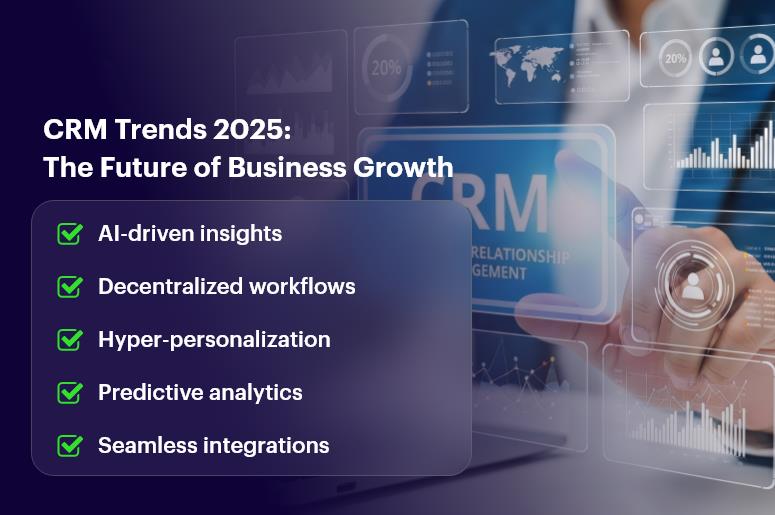
CRM Trends 2025

Why CRM Trends 2025 Are Critical for Businesses

Customer expectations are evolving at lightning speed. They demand faster responses, personalized interactions, and consistent service across all channels. For businesses, this means CRM can no longer be just a database of contacts — it must be the nerve center of operations.

Here’s why these trends matter for different teams:

  • Sales Teams: AI-powered insights shorten deal cycles and highlight the hottest leads.
  • Operations Managers: Decentralized workflows improve collaboration across distributed teams.
  • HR Professionals: Integrated CRMs simplify recruitment, attendance, and performance tracking.
  • Finance Leaders: Real-time CRM + ERP integration improves forecasting and cost control.

Industry Impact:

  • Retail: Mobile CRM empowers sales reps to close deals in-store.
  • Healthcare: Decentralized workflows secure patient data while enabling faster collaboration.
  • Manufacturing: CRM automation helps eliminate bottlenecks in supply chain management.

By embracing these CRM Trends 2025, small and mid-sized businesses can unlock efficiency, scalability, and stronger customer loyalty.

The Top 5 CRM Trends Shaping 2025

1. AI in CRM: Smarter, Faster, More Predictive

Artificial Intelligence is now embedded in almost every leading CRM solution. Businesses using AI in CRM gain a significant advantage: they don’t just manage customer relationships — they predict them.

AI-powered CRM capabilities:

  • Predictive lead scoring: Prioritize leads most likely to convert.
  • Sales forecasting: Predict future revenue based on historical patterns.
  • Smart recommendations: Suggest next-best actions for sales teams.
  • Customer sentiment analysis: Detect satisfaction or frustration from communications.

Example: A software startup using AI-driven lead scoring saw a 40% increase in conversions by focusing only on high-value prospects.

Action Tip: Start small by enabling AI-powered email insights or automated lead prioritization in your CRM.

2. CRM Automation: Doing More with Less

Automation is one of the most impactful CRM Trends 2025. Businesses can save countless hours by letting the system handle repetitive tasks.

What CRM automation covers:

  • Lead assignment: Automatically route leads to the right salesperson.
  • Follow-up reminders: Ensure no deal goes cold.
  • Task automation: Trigger actions when conditions are met (e.g., send a contract after approval).
  • Reporting automation: Generate dashboards without manual effort.

Key Benefits:

  • Higher productivity.
  • Consistent customer communication.
  • Reduced operational errors.

Quick Win: Set up automation to instantly notify your sales team when a new lead enters the CRM.

3. Decentralized Workflows: Collaboration Without Borders

Hybrid and remote work are now the default. That’s why decentralized workflows are among the most powerful CRM Trends 2025.

Benefits of decentralized workflows:

  • Teams across time zones work seamlessly.
  • Approval processes become faster and more transparent.
  • Projects progress without dependency bottlenecks.

Use Case: A construction company with teams in three continents used decentralized CRM workflows to cut project delays by 25%.

Pro Tip: Use shared dashboards and task ownership features in your CRM to align distributed teams.

4. Mobile CRM: Work Anywhere, Anytime

Work is no longer tied to a desk. Mobile CRM ensures your teams can manage customers, deals, and tasks wherever they are.

Why it matters:

  • Sales reps update opportunities in real time.
  • Field service agents access customer history instantly.
  • HR managers track attendance using geolocation.

Statistic: Businesses adopting mobile CRM see 74% better customer relationships compared to those relying only on desktop.

Best Practice: Equip your field staff with CRM mobile apps to increase responsiveness and customer satisfaction.

5. Data Security in CRM: Building Trust Through Compliance

As cyber threats increase, data security in CRM has become a boardroom-level priority. Customers expect their personal and financial data to be safe.

Essential security measures in CRM 2025:

  • Role-based permissions.
  • Two-factor authentication.
  • End-to-end encryption.
  • GDPR and HIPAA compliance.

Example: A healthcare provider adopted role-based CRM access, ensuring only authorized staff could view sensitive patient records, boosting trust and compliance.

Practical Tip: Regularly audit user access and enable multi-factor authentication across your CRM.

Best Practices to Adopt CRM Trends 2025 Successfully

Transitioning to these CRM trends requires planning and execution. Here’s how to do it effectively:

  • Define clear goals: Know whether you’re targeting sales growth, efficiency, or customer satisfaction.
  • Prioritize training: Teach employees how to use AI, automation, and mobile features.
  • Integrate with ERP: Connect finance, HR, and operations to avoid silos.
  • Monitor performance: Track KPIs like deal velocity, churn rates, and automation savings.
  • Stay agile: Review CRM workflows quarterly to adapt to changing needs.

Key Takeaways on CRM Trends 2025

The future of CRM is already here. By embracing the Top 5 CRM Trends 2025, your business can achieve:

  • Smarter decisions with AI and predictive analytics.
  • Higher productivity through CRM automation.
  • Global collaboration with decentralized workflows.
  • More flexibility using mobile CRM.
  • Enhanced trust via strong data security.

In short, these trends are not just “nice-to-have” features — they’re must-have strategies for growth in 2025 and beyond.

Frequently Asked Questions

1. What are CRM Trends 2025?

CRM Trends 2025 are the latest shifts in customer relationship management, including AI, automation, mobile CRM, decentralized workflows, and data security.

2. Why is AI important in CRM?

AI in CRM helps predict customer behavior, improve lead scoring, and automate decision-making, leading to faster and smarter sales cycles.

3. How does CRM automation save time?

CRM automation eliminates repetitive tasks like follow-ups, assignments, and reporting, giving teams more time to focus on strategy and customers.

4. Is mobile CRM secure?

Yes. With two-factor authentication, encryption, and role-based access, mobile CRM apps are highly secure when implemented correctly.

5. How can small businesses benefit from CRM Trends 2025?

Small businesses can boost productivity, improve customer experience, and scale faster by adopting affordable CRM solutions that include AI, automation, and mobile access.


The Future of CRM: AI, Automation & What’s Next?

The future of CRM isn’t a distant dream. It’s happening now. With AI and automation transforming the way businesses interact with customers, manage sales, and streamline operations, CRM platforms are evolving fast. According to a recent study by Gartner, 60% of organizations plan to adopt AI in CRM by 2026.

But why does this matter to you?

Because staying ahead in today’s competitive market demands smarter tools, faster responses, and personalized experiences at scale. In this blog, we’ll dive into the future of CRM, what’s driving this shift, and how small and mid-sized businesses can leverage these changes to grow faster, serve better, and scale smarter.

Let’s explore the trends, tools, and actionable strategies shaping the next generation of CRM.

The Future of CRM is Now

Why the Future of CRM Matters for Growing Businesses

CRM isn’t just a tool. It’s the heartbeat of customer relationships.

And when powered by AI and automation, it becomes a growth engine.

The Business Case: Why You Need to Evolve

  • Customers expect instant, personalized experiences. A CRM without intelligence can’t deliver this.
  • Sales teams need automation to reduce manual work. Let reps sell, not spend hours on data entry.
  • Operations crave efficiency. Smart CRM systems eliminate silos and duplicate work.

Key Industries Benefiting from the Future of CRM

  • Retail & eCommerce: Personalized product recommendations and automated support.
  • Financial Services: Predictive insights on customer churn and upselling.
  • Healthcare: Streamlined patient journeys and appointment automation.

Modern businesses that want to grow can’t afford outdated tools. Embracing CRM automation and AI is no longer optional — it’s a competitive advantage.

Best Practices: How to Prepare for the Future of CRM

1. Adopt an AI-First Mindset

AI in CRM is here to stay. Start small, then scale.

  • Predictive lead scoring: Let AI prioritize high-converting leads.
  • Smart workflows: Auto-assign tasks based on behavior.
  • Sentiment analysis: Understand tone and intent in customer messages.

Tip: Choose a CRM that already includes built-in AI tools (like CrmLeaf).

2. Automate the Right Processes

Not everything should be automated. Focus on tasks that are:

  • Repetitive
  • Time-consuming
  • Rule-based

Examples:

  • Follow-up emails
  • Lead nurturing sequences
  • Data entry and duplicate checking

3. Enhance Customer Experience with Personalization

Use data to:

  • Segment your audience
  • Trigger custom journeys
  • Recommend relevant products

Next-gen CRM tools let you build smart workflows without code.

4. Enable Seamless Integrations

The future is connected.

Make sure your CRM talks to:

  • Your website & forms
  • Marketing automation tools
  • Payment systems
  • ERP platforms

With CrmLeaf, native integrations simplify your stack and reduce context switching.

5. Prioritize Real-Time Analytics

Real-time insights = faster decisions.

Track:

  • Sales performance
  • Funnel bottlenecks
  • Customer support KPIs

Automated dashboards save time and keep teams aligned.

6. Train Teams Continuously

Tech is only as good as its users.

  • Offer role-specific training
  • Create short internal how-tos
  • Encourage experimentation

A user-friendly interface helps, but so does a culture of learning.

Real-World Impact: How Companies Are Using Next-Gen CRM

For example, a mid-sized IT services firm, integrated AI-powered lead scoring and automated email follow-ups through CrmLeaf.

The result?

  • 38% increase in lead conversions within 3 months
  • 50% reduction in manual admin tasks
  • Faster follow-ups led to a 22% boost in client retention

With a smarter CRM, their sales team focused more on closing deals and less on chasing cold leads.

Key Takeaways: What This Means for You

The future of CRM is intelligent, automated, and deeply integrated with your business goals.

  • AI in CRM helps you prioritize better and personalize faster.
  • CRM automation reduces friction and boosts productivity.
  • Investing in next-gen CRM software ensures you’re future-proof.

If you want to:

  • Scale faster
  • Improve customer satisfaction
  • Empower your team

Then it’s time to act.

Don’t wait for the future. Build it.

Customer 360: What It Really Means & How to Achieve It?

Today’s customers expect more. Instant answers. Personalized service. Seamless experiences. But here’s the catch: Most businesses are still juggling fragmented systems, making it nearly impossible to truly know their customer. That’s where Customer 360 comes in.

Customer 360 means building a unified customer profile that pulls data from every touchpoint — sales, support, marketing, billing, and more. It enables your teams to see the full story behind every customer, so they can act smarter and faster.

In this post, we’ll break down:

  • What Customer 360 really involves
  • Why it’s critical for growing businesses
  • How to build it with the right tools (hint: not spreadsheets)
  • A real-world success example

Let’s dive in.

Customer-360-What-It-Really-Means-How-to-Achieve-It-2

Why Customer 360 Matters to Your Business

If you’re managing sales, support, and marketing across disconnected platforms, you’re not alone. But that siloed setup is costing you — in time, revenue, and trust.

Here’s what’s at stake:

  • Sales teams struggle with outdated or incomplete data
  • Support reps can’t see past tickets or product issues
  • Marketing targets the wrong personas with irrelevant messaging
  • Finance lacks context around deals and customer behavior

Without a 360-degree customer view, it’s like driving with a blindfold.

Customer 360 solves that.

With customer data integration, all your teams operate from the same playbook. You get:

  • A single customer view in real-time
  • Better personalized customer experiences
  • Improved cross-team collaboration
  • Stronger customer retention and loyalty

Industries like retail, SaaS, manufacturing, and even education are using CRM data analytics to make smarter decisions based on real-time customer data.

Bottom line? A solid Customer 360 foundation empowers every department — and ultimately drives growth.

How to Achieve Customer 360: Best Practices & Actionable Steps

Creating a Customer 360 isn’t as simple as merging spreadsheets. It takes a system-wide strategy — and the right CRM platform.

Here’s how to get there:

1. Centralize Customer Data

  • Connect your CRM, helpdesk, marketing tools, ERP, and billing systems
  • Sync cross-channel data — emails, chats, calls, invoices, etc.
  • Ditch manual data entry; let automation keep it clean and updated

2. Create a Unified Customer Profile

  • Merge duplicate entries
  • Assign unique customer IDs
  • Include demographics, activity history, purchases, tickets, notes, preferences

3. Map the Customer Journey

  • Identify key stages: awareness, purchase, onboarding, support
  • Align internal data to each stage
  • Highlight pain points and areas of drop-off

4. Enable Real-Time Data Access

  • Choose a customer engagement platform that updates live
  • Give every team access to the same real-time dashboard
  • Set up role-based views so each user sees relevant insights

5. Make It Actionable

  • Use CRM data analytics to surface trends, behavior, and churn signals
  • Trigger automated workflows (follow-ups, alerts, emails) based on activity
  • Prioritize leads, upsell opportunities, or risk accounts using scoring models

6. Train Your Teams

  • Run regular onboarding on how to use the 360-degree customer view
  • Encourage consistent data input and updates
  • Create a shared culture of accountability for customer context

7. Review and Improve

  • Run monthly audits of your single customer view setup
  • Eliminate duplicate entries
  • Add new integrations as your tech stack grows

With CRMLeaf, you get all this in one unified platform. No toggling between tabs. No guesswork.

Customer Success Story

BlueWave Technologies, a B2B SaaS company, used CRMLeaf’s Customer 360 view to unify data from sales, support, and marketing.

Before CRMLeaf, they:

  • Missed key follow-ups due to scattered CRM entries
  • Had marketing sending irrelevant emails to clients already onboarded
  • Couldn’t get accurate churn risk metrics

After switching:

  • They saw a 23% increase in upsell conversion rates
  • Reduced support resolution times by 30%
  • Improved NPS scores by +12 points within 3 months

Here’s how? With CRMLeaf, all teams shared a single source of truth — updated in real-time, across devices.

Key Takeaways: Your 360-Degree Advantage

Customer 360 means creating a complete, real-time, cross-functional view of every customer.

It enables personalized experiences, smarter decisions, and better retention.

Here’s what matters most:

  • Stop flying blind with fragmented data
  • Centralize and unify your customer data integration
  • Empower every team with a 360-degree customer view
  • Use tools like CRMLeaf to make it actionable, automated, and scalable

Additionally, remember that achieving Customer 360 isn’t just a tech upgrade — it’s a mindset shift. Teams must align around data transparency and customer context. With the right CRM, the transformation is not only possible, but also scalable, repeatable, and deeply impactful.

If you’re serious about customer engagement, loyalty, and growth, this isn’t optional. It’s essential.

How CRM Time Tracking Improves Project Profitability

Time isn’t just a number on the clock — it’s the pulse of your project profitability. According to a PMI study, poor time management contributes to 43% of project failures. That’s a massive profit leak. Thankfully, CRM time tracking improves project profitability by giving you the insights needed to plug those holes.

Imagine knowing exactly where your team’s hours go — which client soaks up too much time, which tasks drain your budget, and which team members are overworked. With CRM time tracking built into your ERP or CRM system, your business doesn’t just run — it earns smarter.

In this post, we’ll explore how CRM time tracking boosts profitability and how CRMLeaf can help you turn hours into dollars.

Why CRM Time Tracking Is a Profitability Game-Changer

Let’s face it — most growing businesses struggle with two big things: cost visibility and resource utilization. Without proper time tracking in your CRM, you’re guessing where your money and manpower go.

Here’s how CRM time tracking improves project profitability step by step:

  • Real-time effort insights: Get a live view of time spent per task, client, and user. Spot inefficiencies instantly.
  • Accurate client billing: Stop undercharging. Bill for every actual hour worked, not rough estimates.
  • Better forecasting: Historical time logs help you predict timelines and quote projects with more confidence.
  • Improved margins: When you estimate better and bill precisely, you protect — and grow — your margins.

Whether you’re in IT services, marketing, construction, or consulting, if you sell time, then CRM time tracking isn’t optional — it’s essential.

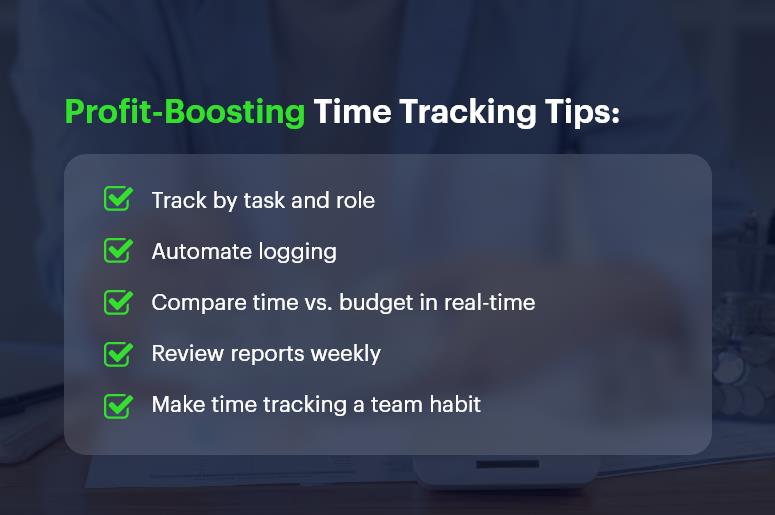
Profit-Boosting Time Tracking Tips

Best Practices to Use CRM Time Tracking for Higher Profits

1. Log Time by Task or Milestone

Don’t just log hours randomly. Attach time entries to specific tasks or deliverables. This way, you can analyze exactly what’s eating your budget.

2. Set Role-Based Time Expectations

Every role has a different billable rate and productivity expectation. Set benchmarks and compare against actuals for better cost control.

3. Track Time vs. Budget in Real-Time

With CRMLeaf, you can instantly see how logged hours compare to the original budget. If something’s going off course, you’ll know immediately.

4. Automate Time Capture

Manual time tracking leads to forgotten hours. Use built-in timers, mobile tracking, and reminders to capture every billable second.

5. Sync Time Tracking with Invoicing

Link your CRM time tracking directly to invoicing. This reduces errors, speeds up billing, and improves client trust.

6. Review Weekly Reports

Set aside 30 minutes each week to review your team’s time reports. Look for red flags and optimize as needed.

7. Build a Culture of Time Discipline

Tracking only works if everyone participates. Make time tracking a daily habit with alerts and performance reviews.

Real Example: CRM Time Tracking That Pays Off

Maxwell Design Co., a digital marketing agency, switched to CRMLeaf and instantly saw results. Before that, they tracked time manually — and inconsistently. That led to missed billing and underused resources.

After adopting CRM time tracking:

  • Billable time compliance jumped to 96%
  • Invoicing was completed 5 days faster
  • Monthly revenue increased by 18%

This wasn’t just about working harder. It was about tracking smarter — and getting paid what they were worth.

Key Takeaways

  • CRM time tracking improves project profitability by connecting time, cost, and output in one place.
  • When your team logs time by task, you see exactly how every hour affects your bottom line.
  • Billing becomes faster and more accurate, leading to better client relationships and fewer disputes.
  • Reports help you spot trends, fix inefficiencies, and improve resource allocation before things go off track.
  • CRMLeaf makes it easier with real-time time logs, mobile tracking, invoicing sync, and role-based monitoring.
  • Ultimately, accurate time tracking turns effort into income — with less guesswork and more control.

If you’re ready to start tracking time the smart way, CRMLeaf is built for you.

How Small Factories Can Compete with Big Players Using CRM Insights?

Small factories often face a daunting reality: competing against global manufacturers with vast budgets, advanced technology, and large sales teams. It’s no surprise that many owners feel outmatched. Yet, here’s the twist — technology has leveled the playing field. How small factories can compete with big players using CRM insights isn’t just a hopeful idea; it’s a proven strategy.

By using customer relationship management tools not just for sales, but for production efficiency and operational intelligence, smaller players can punch well above their weight.

In this article, you’ll discover how CRM for manufacturing empowers small factories to operate smarter, respond faster, and seize opportunities the big guys overlook.

CRM Power for Small Factories_1

Why CRM Insights Matter for Small Factory Growth

For decades, large manufacturers held the advantage because they could afford sophisticated data systems. Now, modern CRMs — especially platforms like CRMLeaf — put data-driven decision making within reach of even the smallest operations.

Key reasons CRM insights are game-changing for small factories:

  • Production efficiency — Identify bottlenecks and remove wasted steps.
  • Better customer relationship management — Track and personalize every client interaction.
  • Sales forecasting for manufacturers — Anticipate demand and adjust production proactively.
  • Inventory and supply chain visibility — Prevent costly stockouts or overstock situations.

Example scenario: A small sheet-metal workshop uses CRM analytics to track order patterns and seasonal trends. The result? They reduce rush jobs by 30% and cut raw material costs by 15% simply by aligning purchasing with actual demand.

Best Practices for Leveraging CRM Insights in Small Factories

1. Map Customer Data to Production Planning

Most small factories use CRM to track quotes and orders — but that’s just the beginning. Link customer purchase history directly to production schedules to anticipate orders before they’re placed.

Quick wins:

  • Use CRMLeaf’s forecasting module to align production with high-demand periods.
  • Build a repeat-order alert system for loyal customers.

2. Use CRM Analytics to Improve Operational Efficiency

Factory performance analytics give you a real-time pulse on operations. By tracking production time, defect rates, and fulfillment speed, you can pinpoint weak spots instantly.

Action steps:

  • Create daily efficiency dashboards.
  • Benchmark shifts against each other to spot training needs.

3. Personalize Sales and Service for a Competitive Edge

Big players can’t always give customers a personal touch. Small factories can — and CRMs make it scalable.

How to implement:

  • Use customer relationship management notes to remember client preferences.
  • Offer proactive maintenance reminders for machinery parts you supply.

4. Optimize Workflow and Reduce Waste

With workflow optimization built into CRMLeaf, small factories can track every step from quote to delivery.

Best practice tips:

  • Automate work order creation from confirmed quotes.
  • Use alerts for stalled production tasks.

5. Integrate Inventory and Supply Chain Data

A disconnected supply chain is a common small factory problem. With CRM integration, you can track supplier lead times, material usage, and stock levels in one place.

Benefits:

  • Avoid last-minute supplier searches.
  • Negotiate better deals with accurate purchasing data.

Customer Success Story

For example, GreenTech Tools, a family-owned industrial parts factory, used CRMLeaf’s analytics to compete with larger regional suppliers.

By integrating sales data with production scheduling, they:

  • Increased on-time deliveries by 35%
  • Reduced overtime costs by 20%
  • Boosted repeat orders by 25% through personalized follow-ups

Today, they’re winning contracts that once went to much larger competitors.

Key Takeaways: Leveling the Playing Field

How small factories can compete with big players using CRM insights comes down to working smarter, not harder.

In short:

  • Leverage CRM analytics to make fast, informed decisions.
  • Integrate sales and production data to avoid costly inefficiencies.
  • Personalize customer interactions to win loyalty over size.
  • Use supply chain visibility to stay ahead of delays.

By embracing CRM for manufacturing, small factories gain the same strategic intelligence that larger companies rely on — without the heavy overhead.

Predictive Maintenance: Keep Your Machines Running with Smart Data

Imagine this: your production line is at full speed when suddenly a critical machine grinds to a halt. You scramble to fix it, production stops, orders get delayed, and costs skyrocket. According to Deloitte, unplanned downtime costs manufacturers an estimated $50 billion annually. The good news? With predictive maintenance: keep your machines running with smart data, you can prevent most of those breakdowns before they happen.

In this post, we’ll explore why predictive maintenance matters, how it works, and the practical steps you can take to keep your operations smooth, efficient, and profitable.

Why Predictive Maintenance Matters for Growing Businesses

For small and mid-sized companies, every minute of production counts. Equipment downtime reduction isn’t just a nice-to-have — it’s essential for meeting customer demands and maintaining healthy profit margins.

Key reasons predictive maintenance is business-critical:

  • Lower maintenance costs – fix only what needs fixing.
  • Fewer disruptions – prevent unexpected production halts.
  • Longer asset life – maintain optimal machine health analytics.
  • Improved safety – reduce risk of accidents from equipment failure.

Industries benefiting the most:

  • Manufacturing – avoid costly shutdowns during peak production.
  • Logistics & warehousing – ensure conveyor systems stay operational.
  • Construction – maximize uptime for heavy machinery.

By combining IoT-enabled sensors with CRMLeaf’s data-driven maintenance strategies, you can track asset performance in real time, predict failures, and schedule repairs before issues escalate.

Predict Problems Prevent Downtime

Best Practices for Implementing Predictive Maintenance

1. Start with Condition Monitoring

Condition monitoring is the foundation. Install sensors to collect data on:

  • Temperature fluctuations
  • Vibration patterns
  • Pressure changes
  • Energy consumption

How CRM helps: Store, analyze, and visualize this data in a centralized dashboard, making it accessible to maintenance teams instantly.

2. Use Predictive Analytics for Failure Prediction

Predictive models compare live data against historical patterns to detect early warning signs.

Quick wins:

3. Align Maintenance with Production Schedules

Repairs should be planned during low-demand periods.

CRMLeaf advantage: Our asset performance management tools let you overlay maintenance schedules with sales and production forecasts for minimal disruption.

4. Differentiate Between Preventive vs Predictive Maintenance

Preventive maintenance works on a fixed schedule. Predictive maintenance, however, is smarter — repairs happen only when data indicates a potential issue.

Why it matters: Saves time, reduces parts waste, and optimizes resource allocation.

5. Train Your Team on Data-Driven Maintenance Strategies

Even the best tech fails without the right people. Train your maintenance crew to interpret machine health reports and respond quickly to alerts.

Pro tip: Gamify the process — reward teams for reducing downtime month over month.

Customer Success Story

For example, Precision Tools Inc., a mid-sized automotive parts manufacturer, integrated CRMLeaf’s predictive maintenance system.

Results after 6 months:

  • 40% reduction in unplanned downtime
  • 25% maintenance cost savings
  • 15% increase in production output

The company credits its success to smart data analytics, seamless CRM integration, and proactive maintenance planning.

Key Takeaways: Your Path to a Smarter Maintenance Strategy

Predictive maintenance is more than a buzzword — it’s a proven way to keep your machines running with smart data and eliminate costly surprises.

With CRMLeaf, you can:

  • Monitor equipment health in real time
  • Predict failures before they occur
  • Reduce downtime and save costs
  • Integrate maintenance with overall business planning

By embracing predictive maintenance, you’re not just maintaining machines — you’re building a resilient, future-ready operation.